 Masar
Masar
A brand and fleet tracking system for a regional freight company: a live dispatcher dashboard for the office and a driver app for the road, fully in English and Arabic.
- SectorLogistics
- PlatformsDispatcher web dashboard, Driver app, English and Arabic
- What we didBrand identity, UX research, UI design, Web and mobile build
- Year2025
Overview
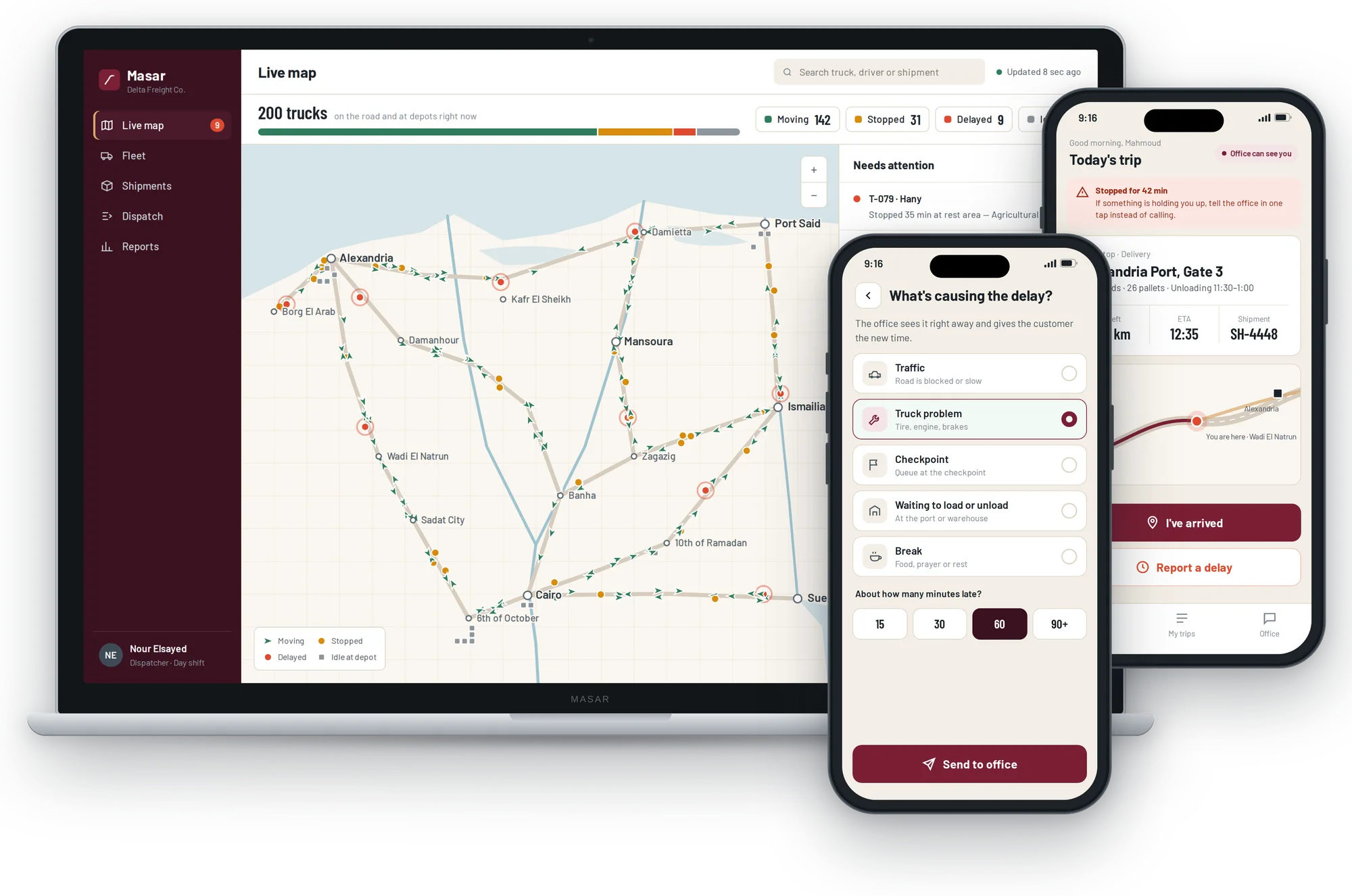
Masar (Arabic for "route") is fleet and shipment tracking for freight companies moving goods between Egypt's ports, factories and cities. Dispatchers see every truck live and act on problems before customers notice, while drivers use a simple app built for one hand on the road. Everything works in English and Arabic. We named the product, created the brand and designed and built both apps.
The challenge
Dispatchers tracked 200 trucks through phone calls and a spreadsheet updated once a day. A late truck was often discovered only when the customer called, and finding a free truck for a new load meant ringing drivers one by one.
What we built
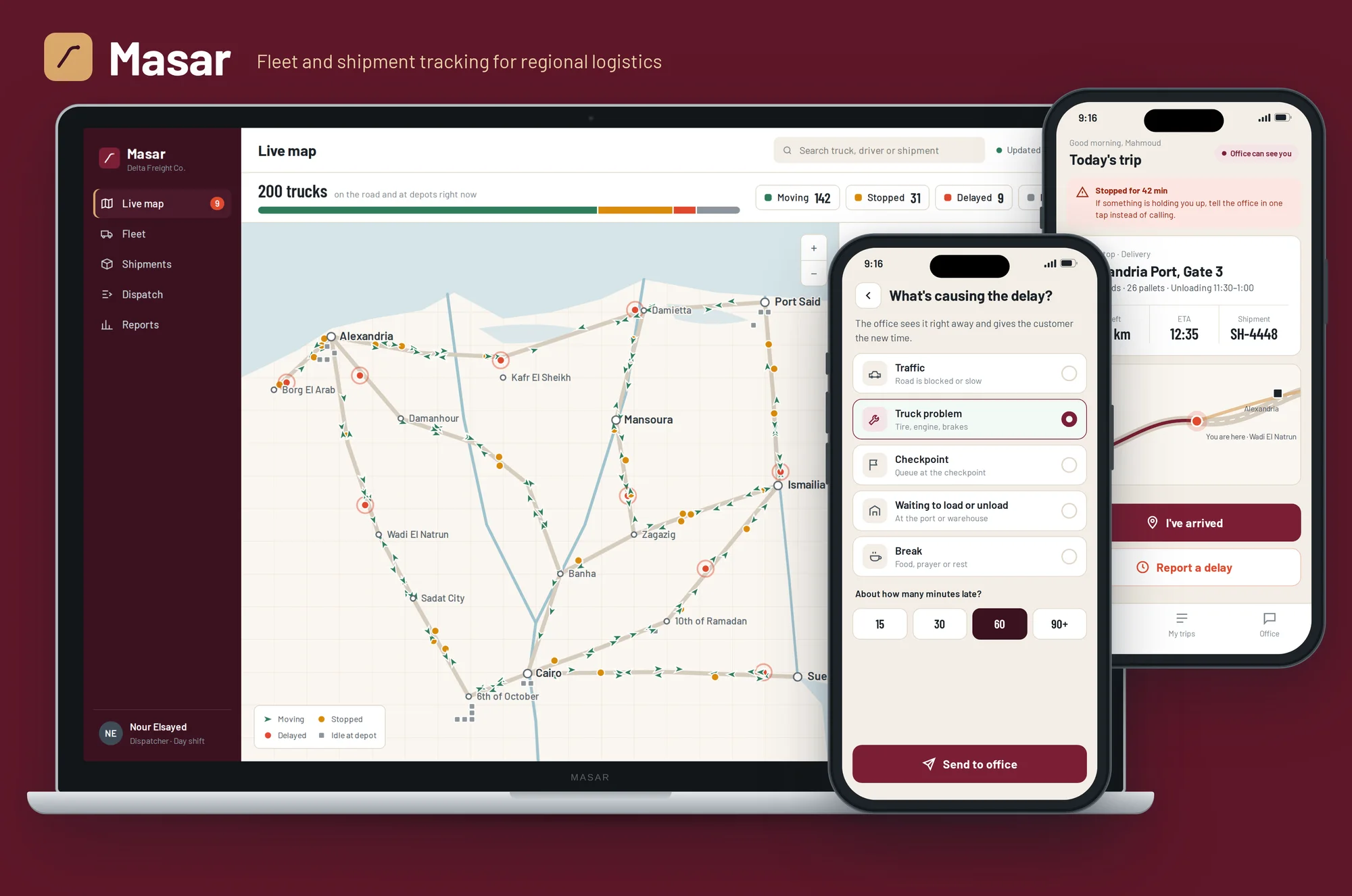
A live map of every truck, automatic alerts when a truck stops without a reason, dispatch suggestions that rank the nearest free trucks for each load, and a simple driver app in English or Arabic to start trips, confirm deliveries with a photo and report delays in one tap.
Brand identity
A single road curving towards a destination dot: the route every shipment follows. Deep burgundy and warm sand take their cues from road signs and desert highways, a calm, serious look for a tool people watch all day.
Masar MasarMasarApp icon
Colour
- Burgundy#7A1F35Brand, routes, main buttons
- Asphalt#3A1220Sidebar and dark surfaces
- Sand#D9A86CLogo accent and highlights
- Concrete#F3EEE6Background and map land
- Moving#2F7D5BTrucks on the move
- Stopped#D98B0BTrucks stopped
- Delayed#E04A2FDelays and alerts
- Ink#1B2228Text
Typography
A grotesque inspired by road and highway signs, with clear numbers that stay readable on a busy live map.
Every truck. Every minute.
200 trucks · 142 moving · 31 stopped · 9 delayed
The dispatcher dashboard
For the operations team in the office: where every truck is, what is running late, and which truck should take the next load.
- 01
Live map
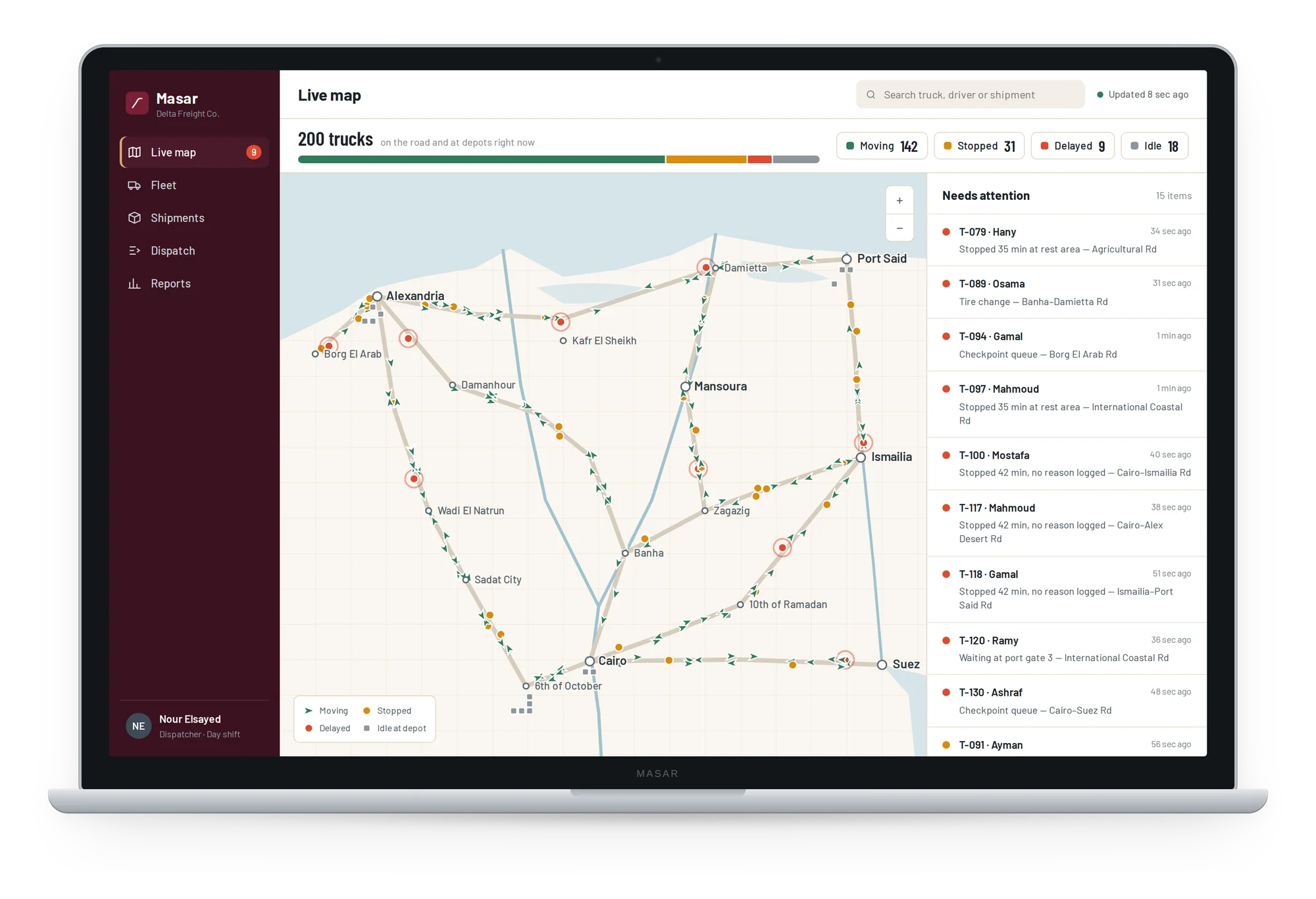
All 200 trucks on one map of Egypt's freight routes, coloured by status: moving, stopped, delayed or idle at a depot. A side panel lists what needs attention first, such as a truck stopped for 35 minutes with no reason logged.
- 02
Truck details
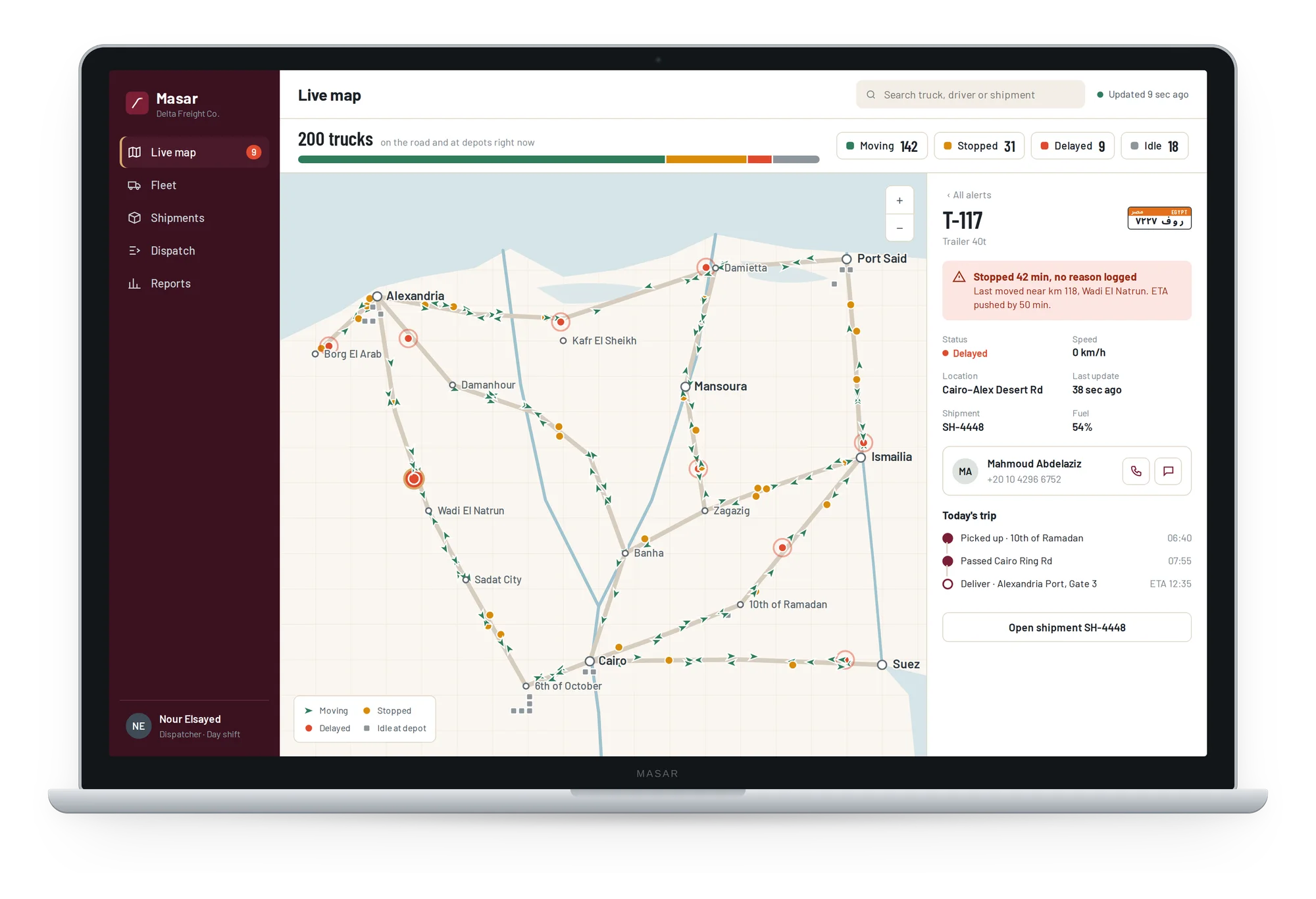
Click any truck to see its plate, driver, speed, fuel, current shipment and today's trip, with buttons to call or message the driver straight away.
- 03
Shipment
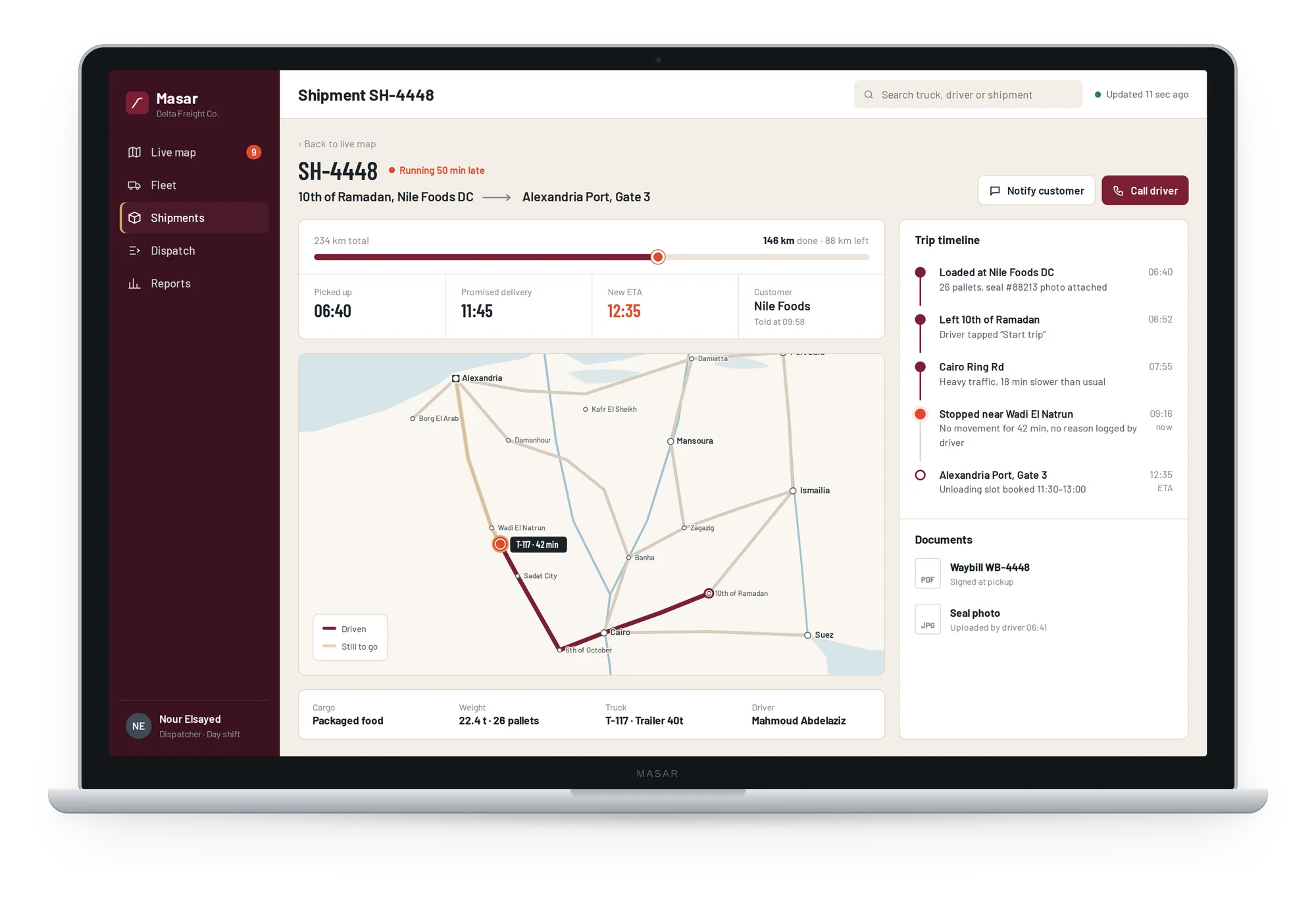
One shipment from pickup to delivery: distance done and left, the new ETA, the route on the map, a trip timeline from the driver's app, and the signed waybill and seal photo.
- 04
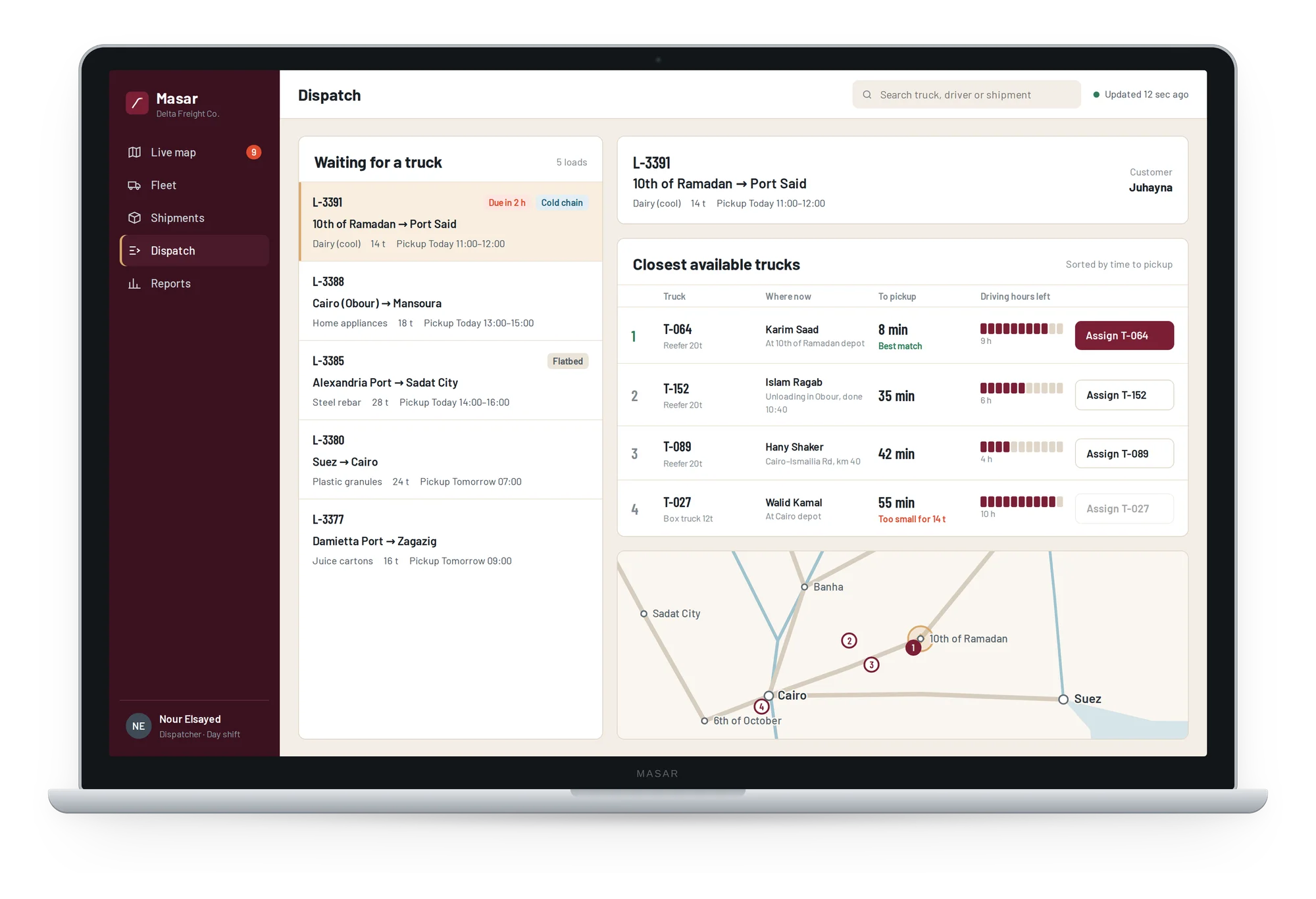
Dispatch
Loads waiting for a truck on the left. For each one, Masar ranks the closest free trucks by time to pickup, truck type and driving hours left, so the best match is assigned in one click.
- 05
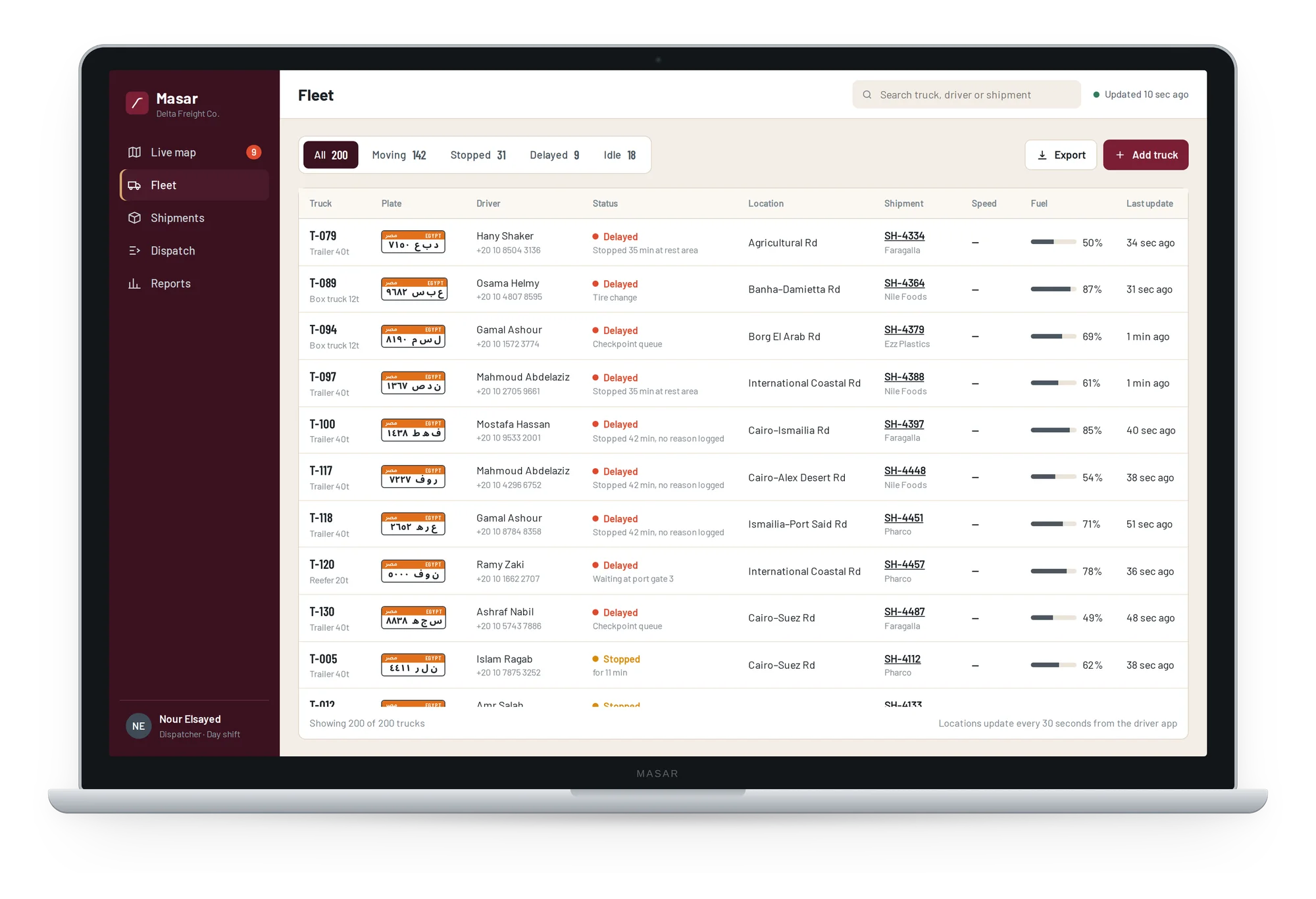
Fleet
Every truck in one table with its Egyptian plate, driver, status, location, shipment and fuel, filtered by moving, stopped, delayed or idle.
- 06
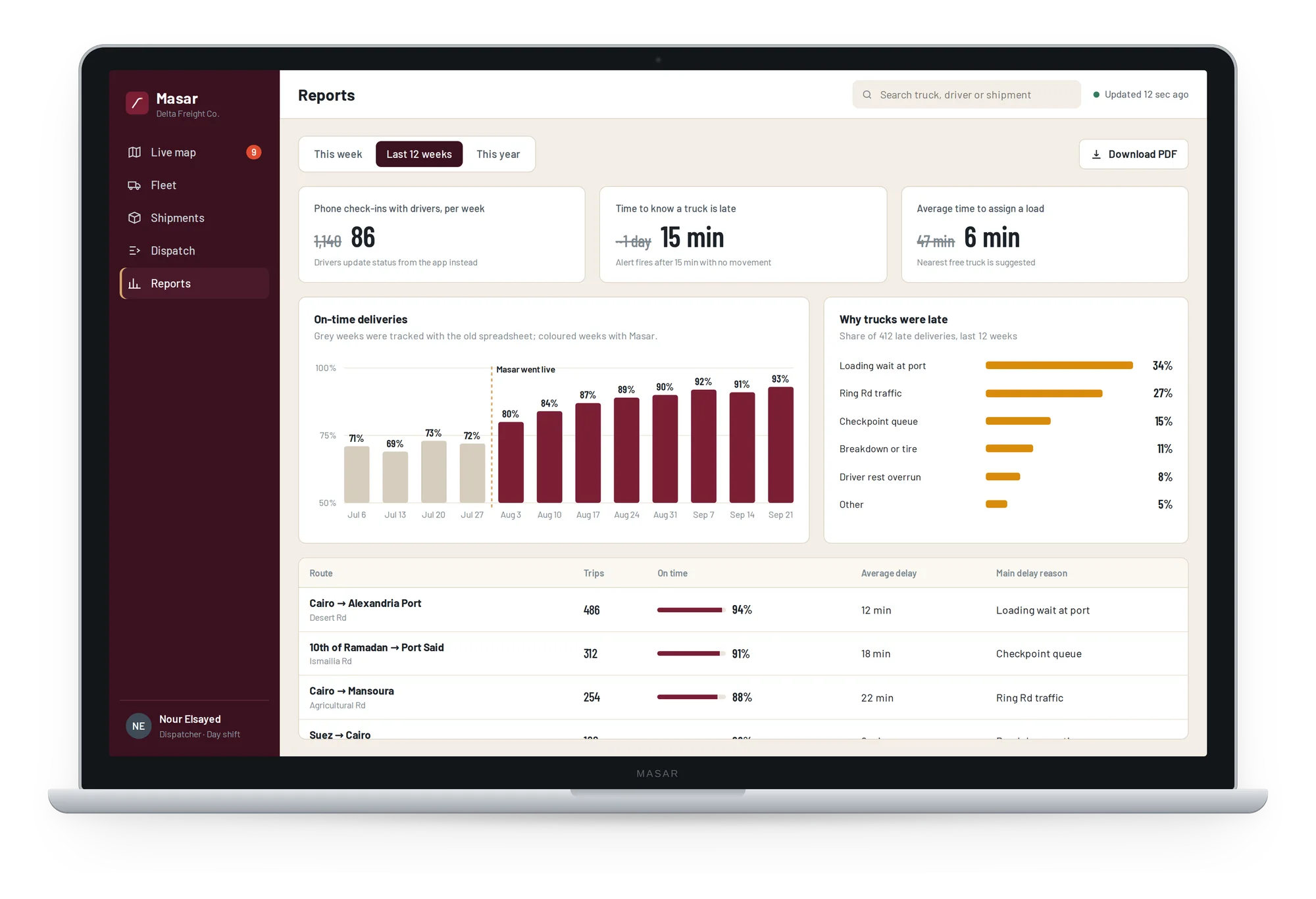
Reports
On-time deliveries week by week, the main reasons trucks were late, and performance by route, ready to download as a PDF for management.
The driver app
Built for the road: big buttons, few words, and nothing to type while driving.
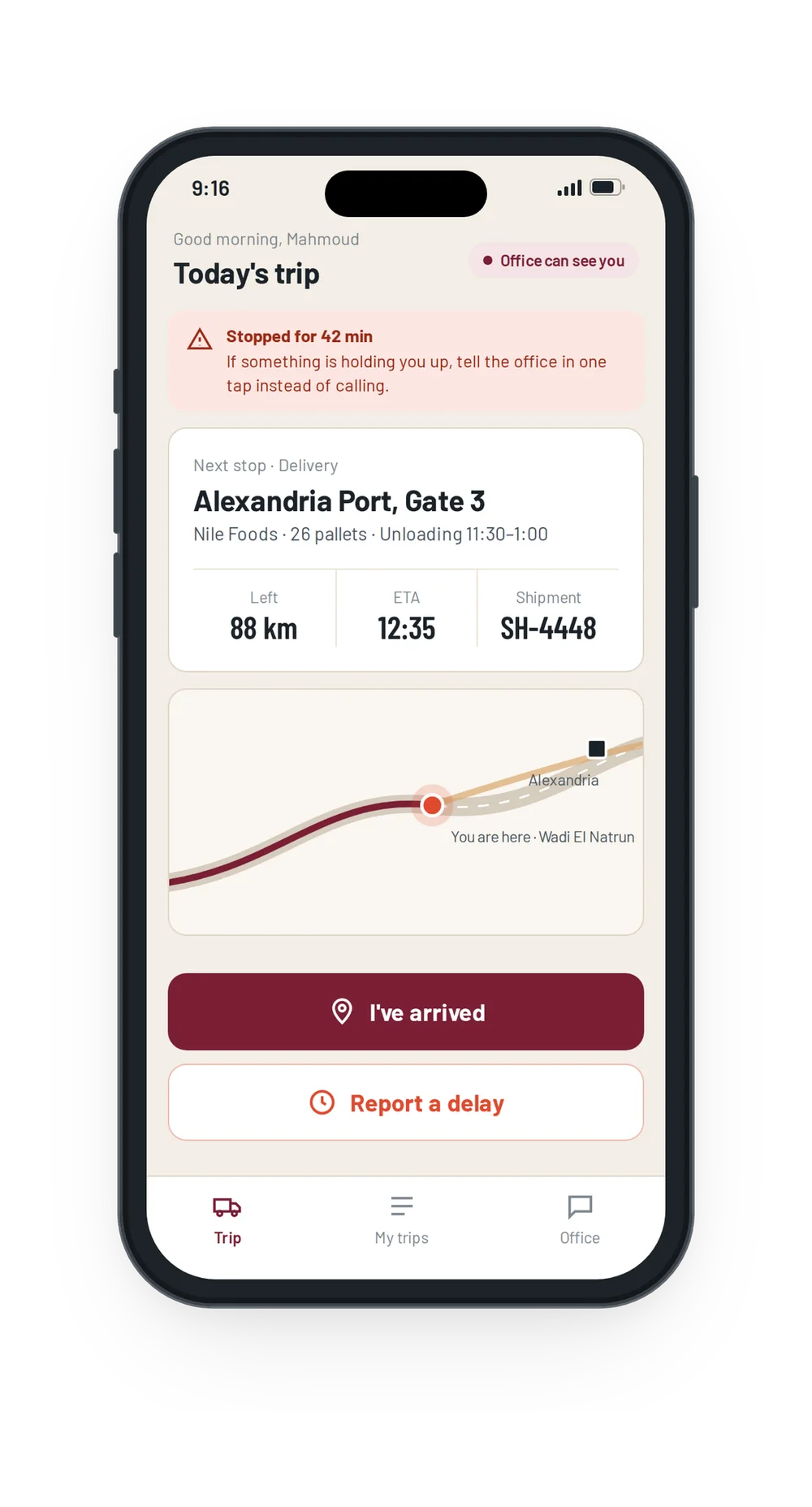
Today's trip
The next stop, ETA and distance left, with buttons to mark arrival or report a delay.
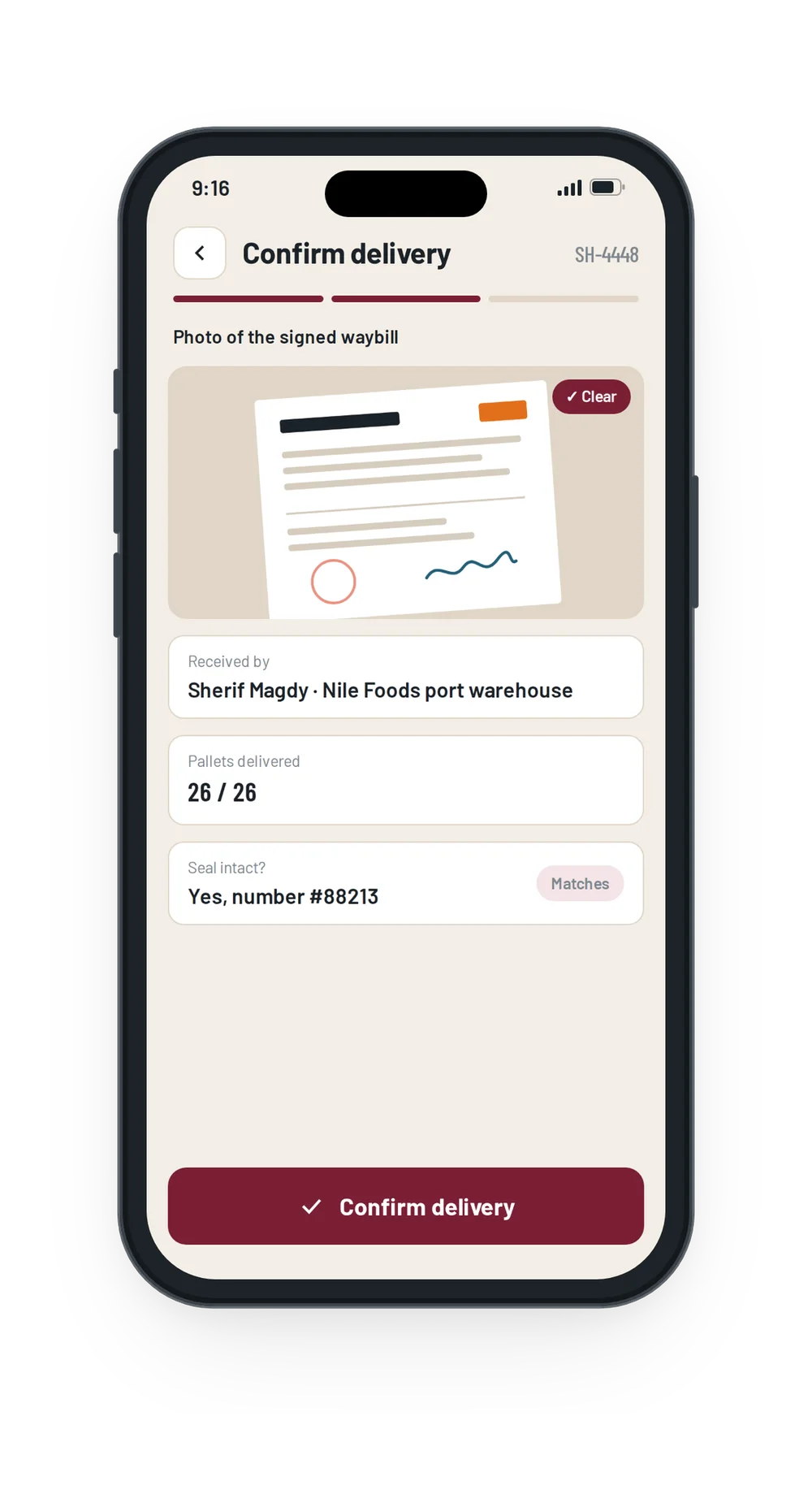
Confirm delivery
A photo of the signed waybill, the receiver's name, pallet count and seal number.
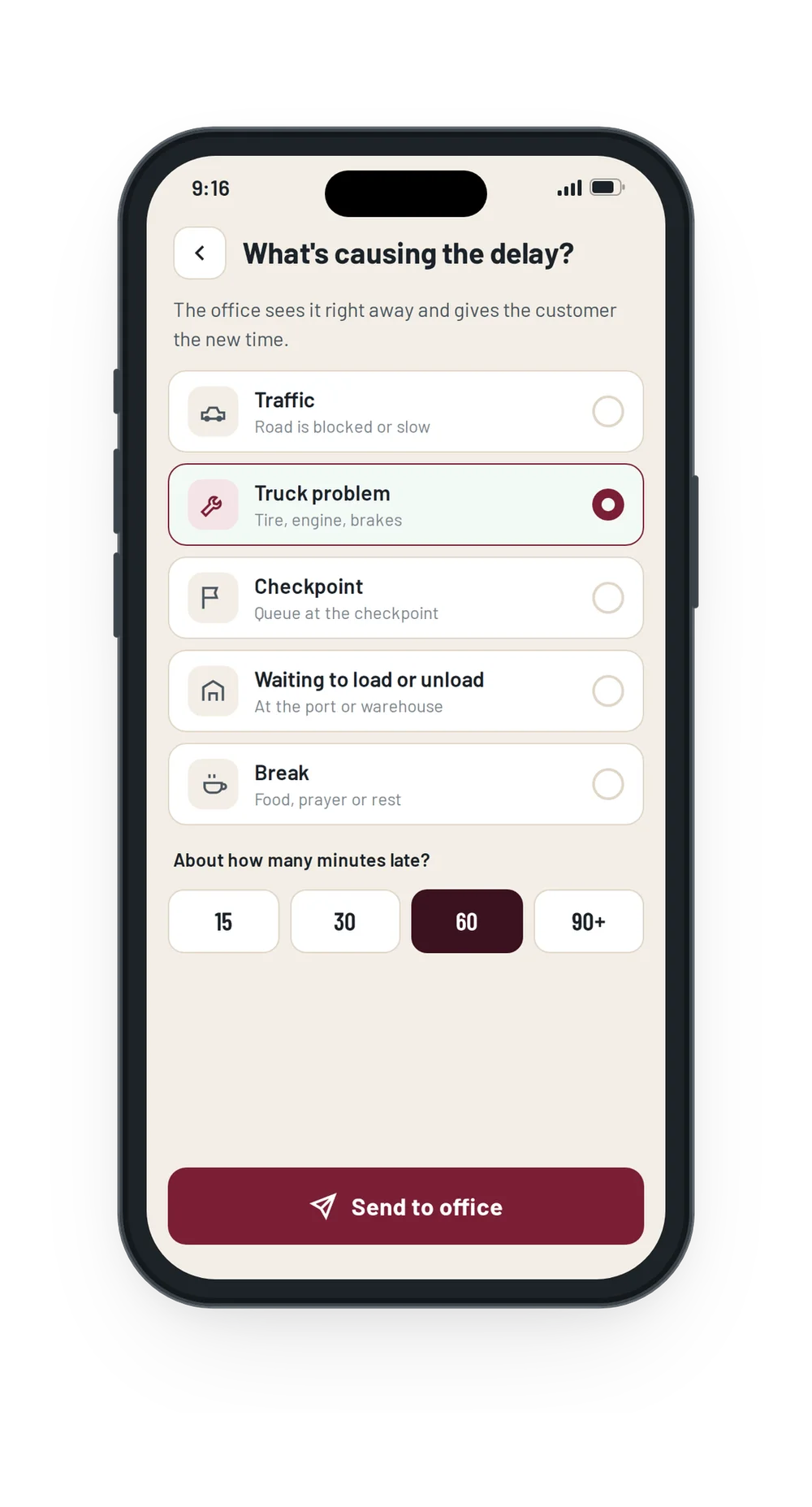
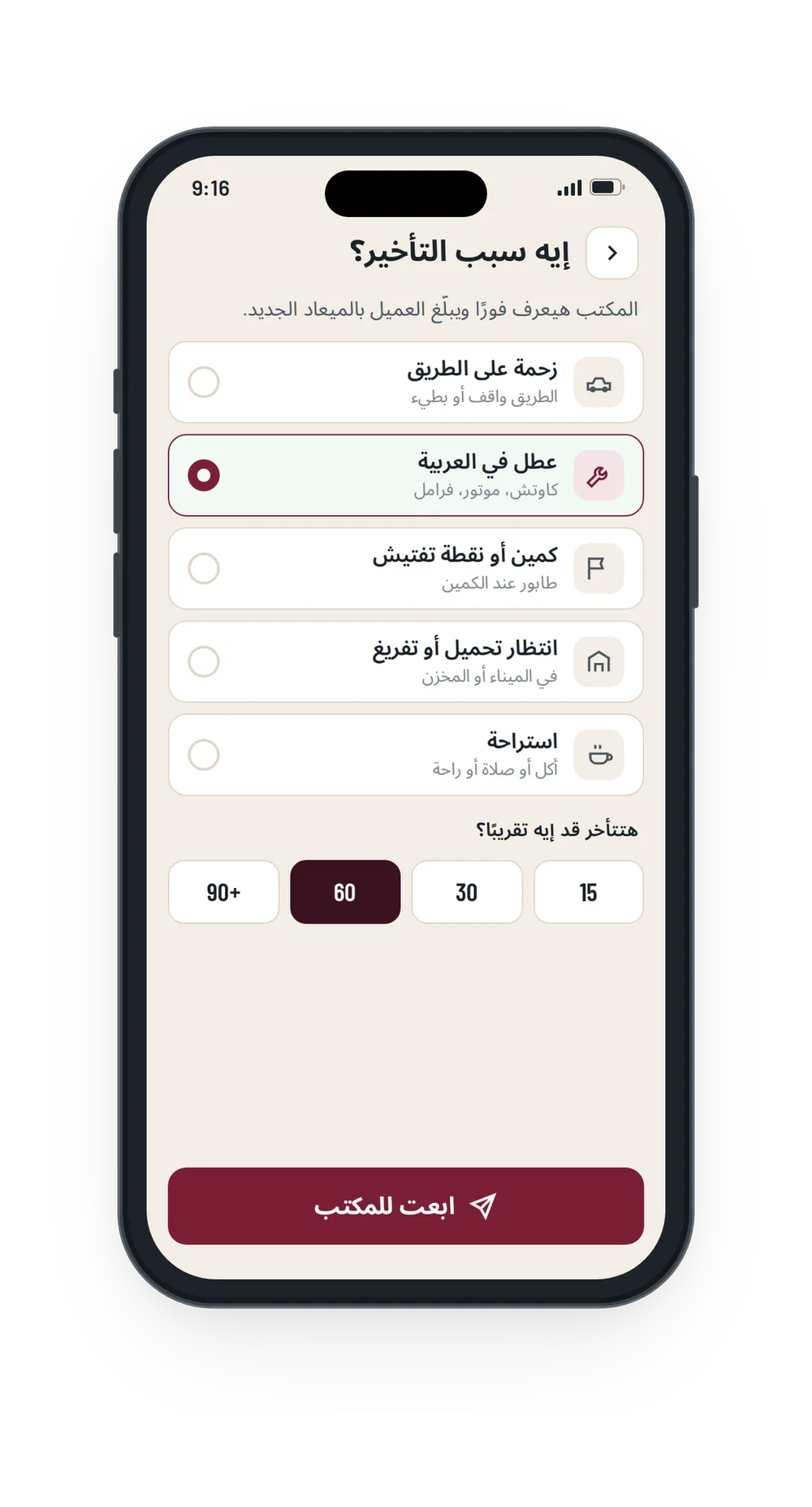
Report a delay
Pick the reason, such as traffic, a breakdown or a checkpoint, and roughly how long.
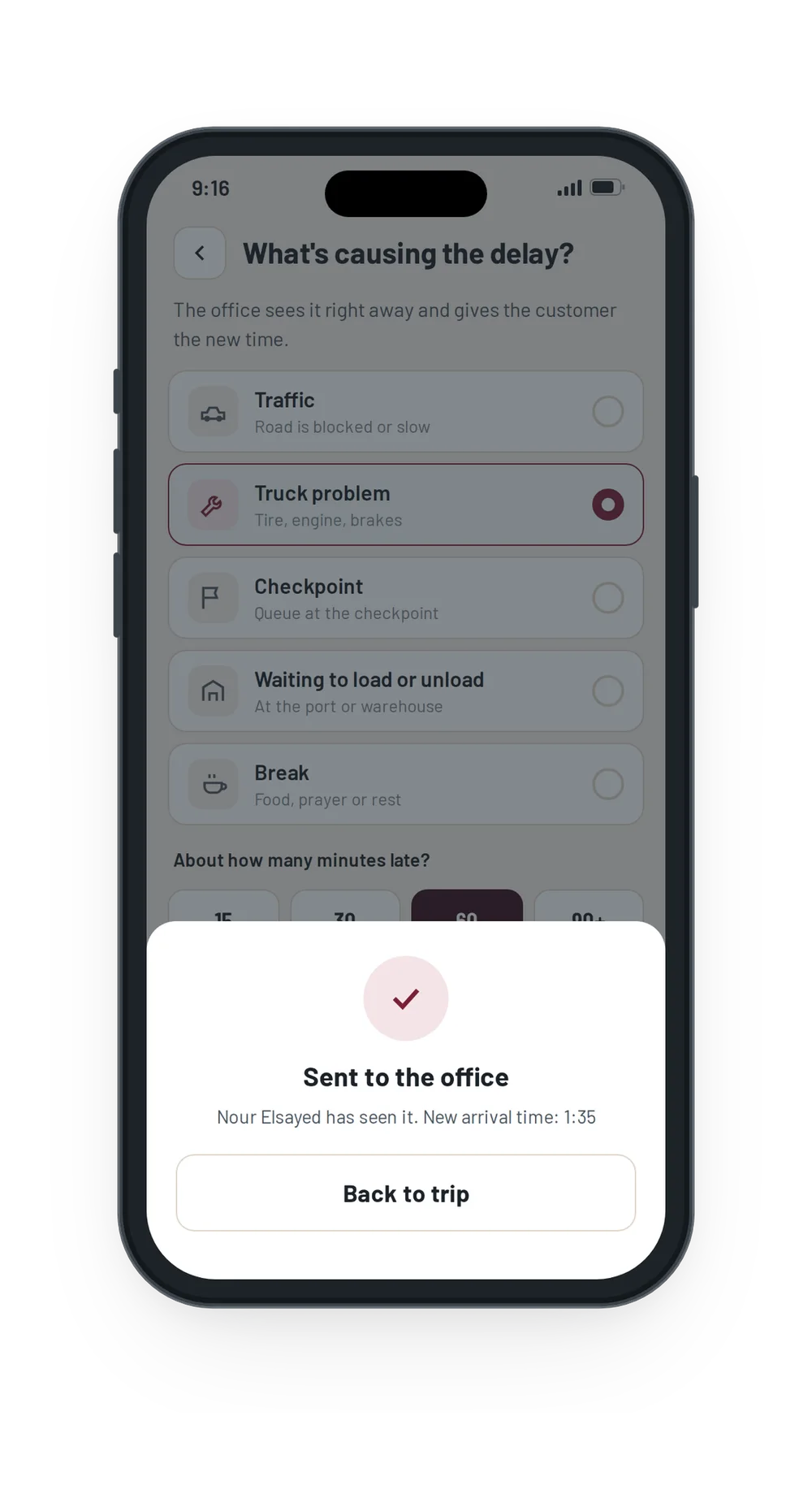
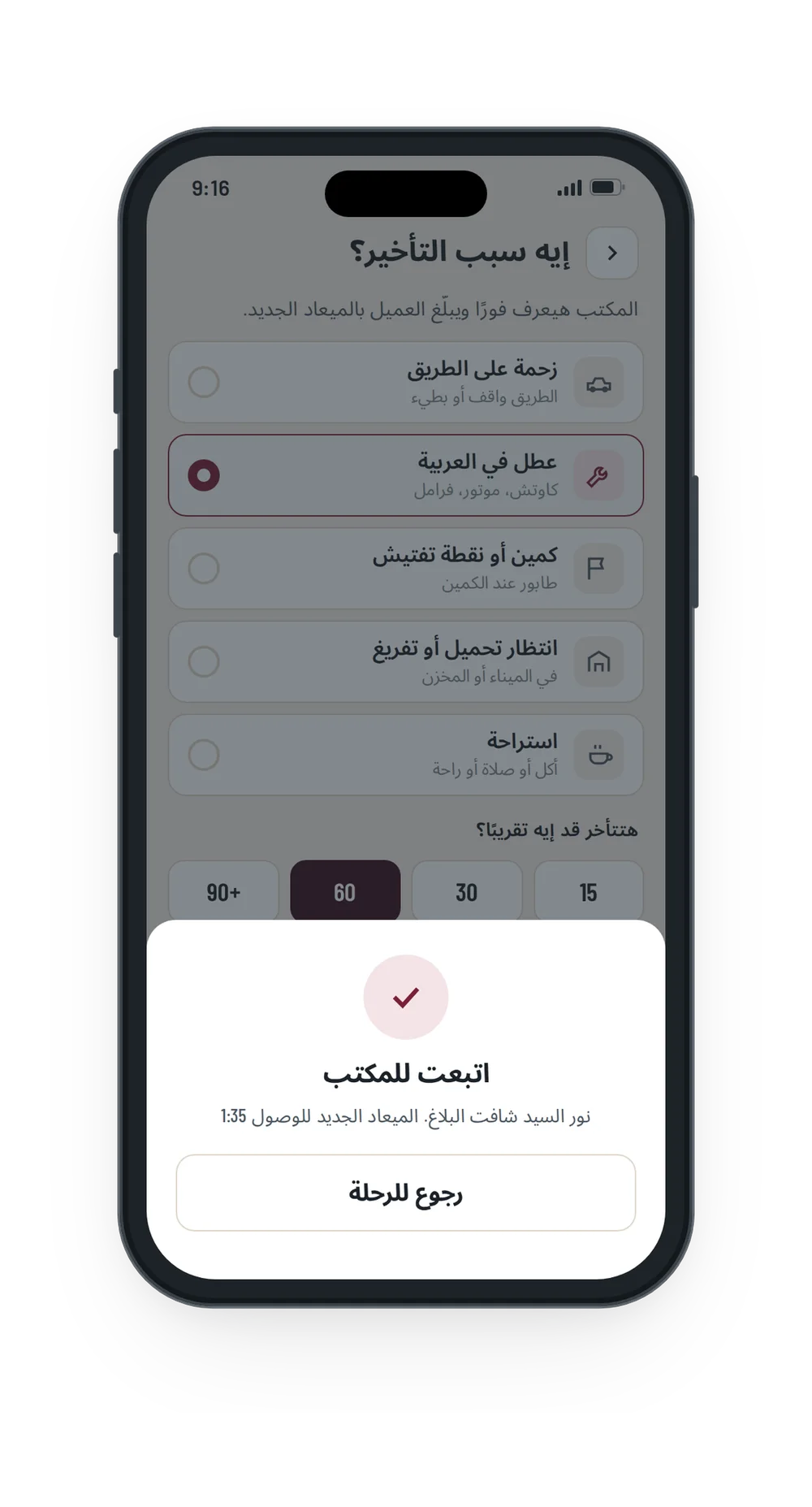
Sent to the office
The dispatcher sees it right away and tells the customer the new arrival time.
Fully in Arabic
Every screen of the dashboard and the driver app was designed again for Arabic, not just translated: right-to-left layouts, Arabic city names on the map, and plain Egyptian Arabic that drivers actually use.
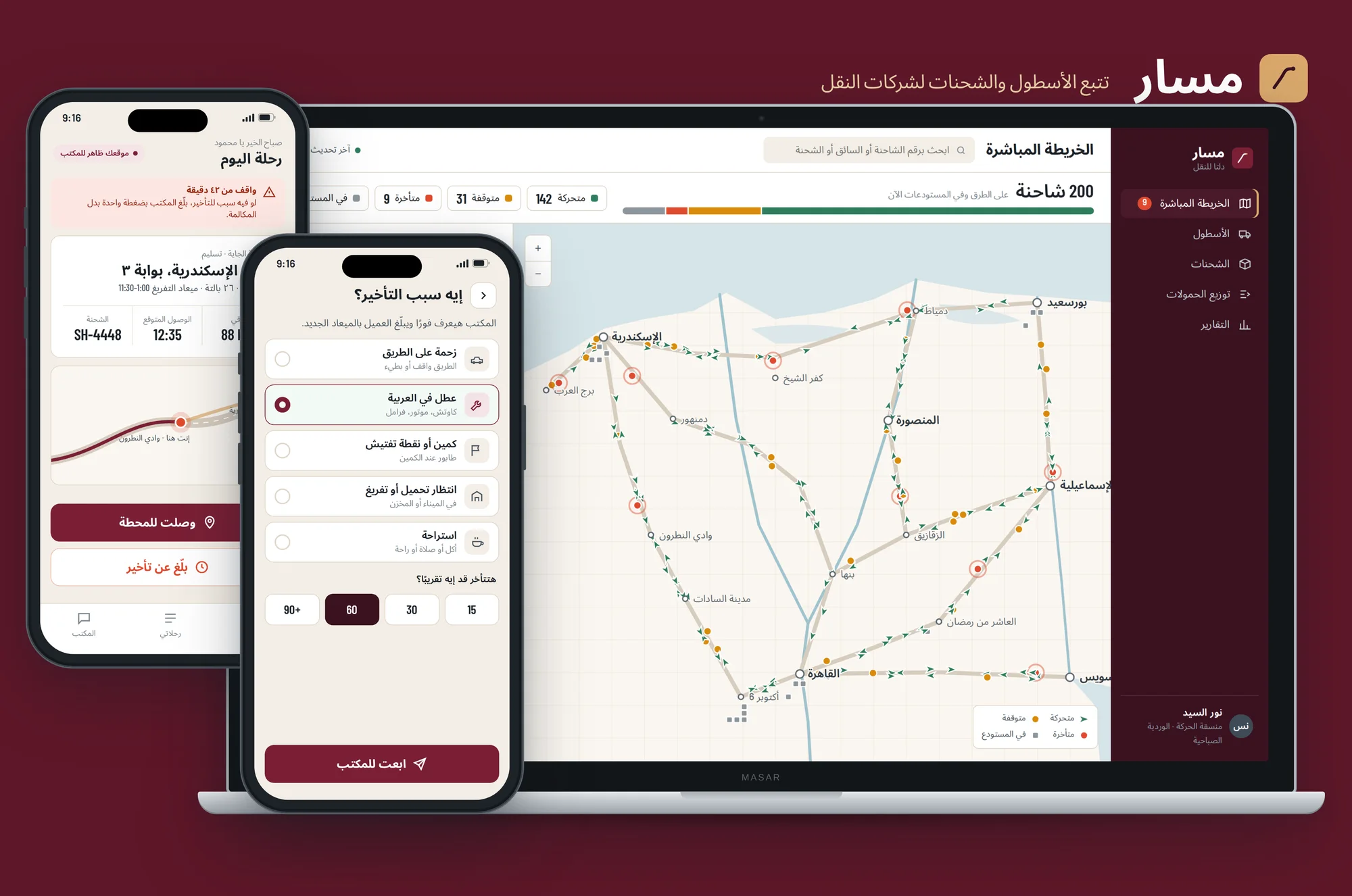
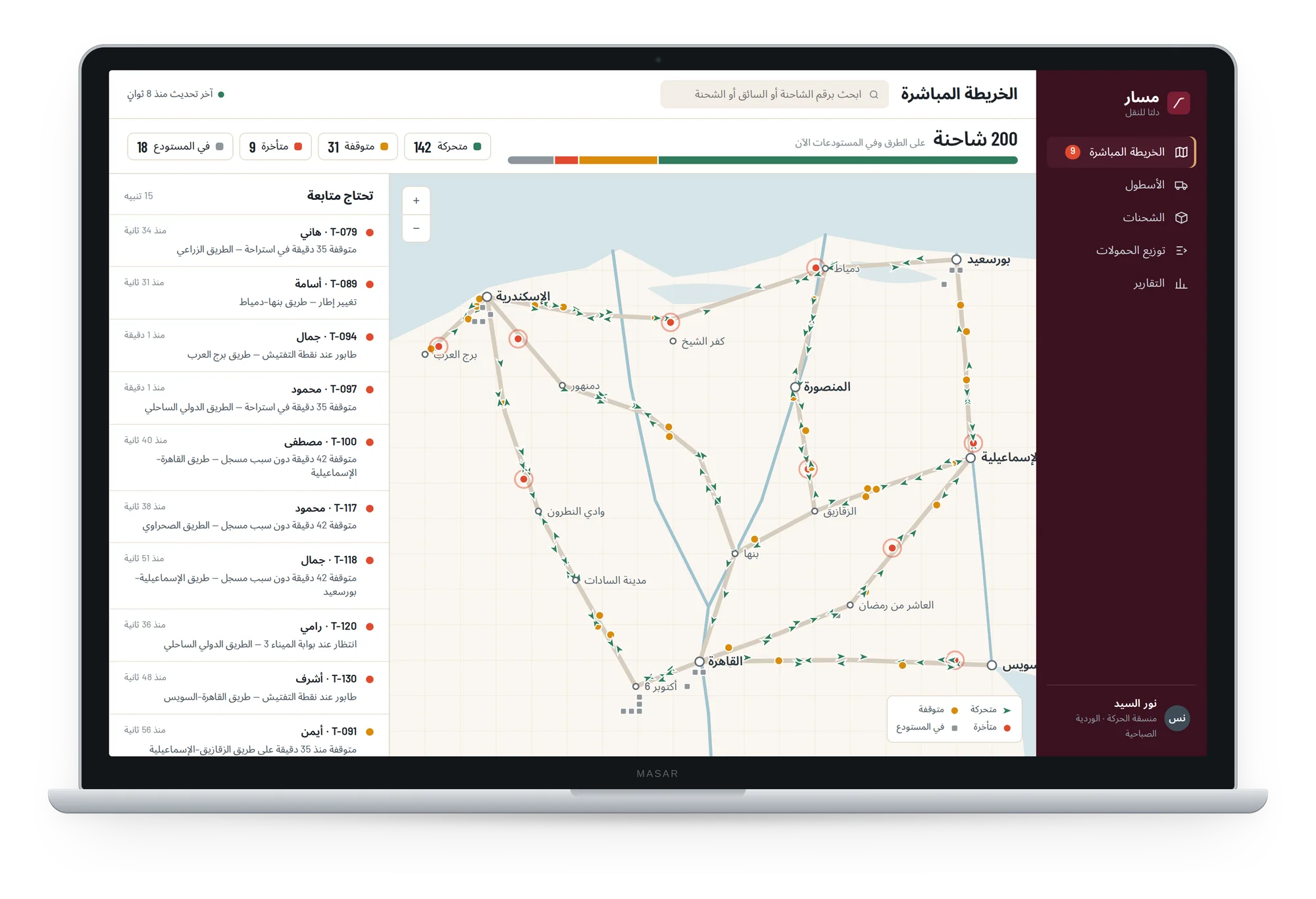 Live map
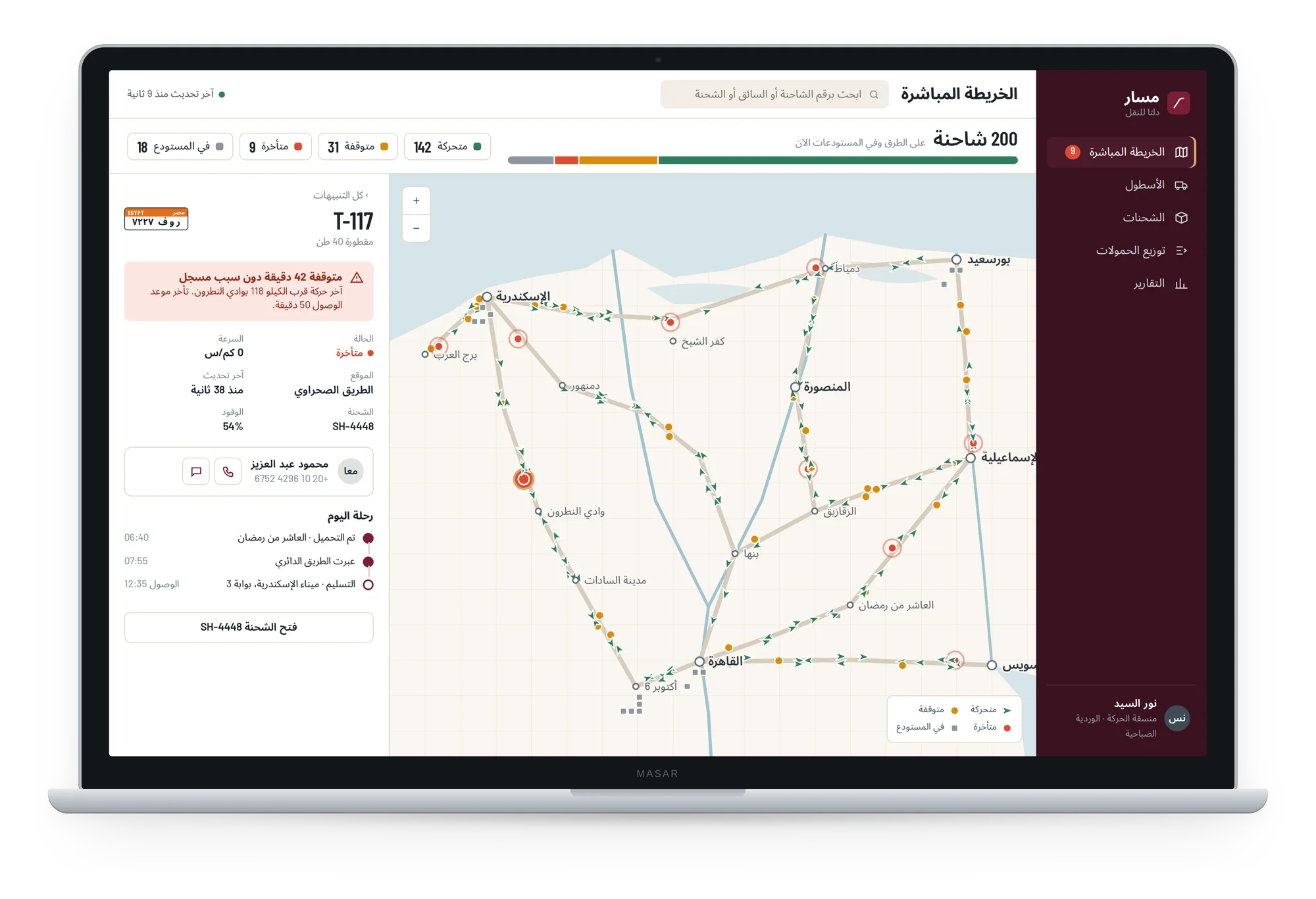 Truck details
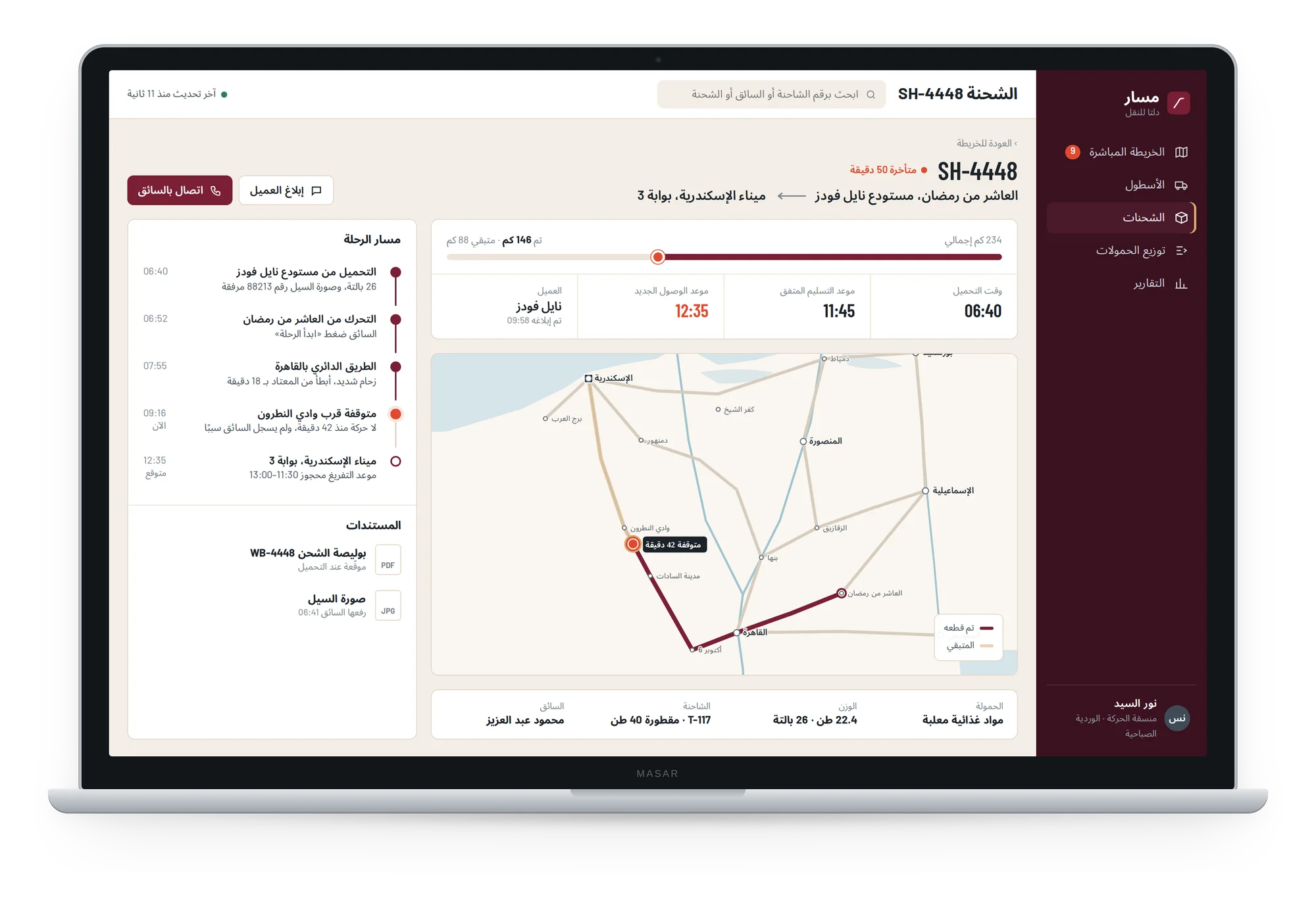 Shipment
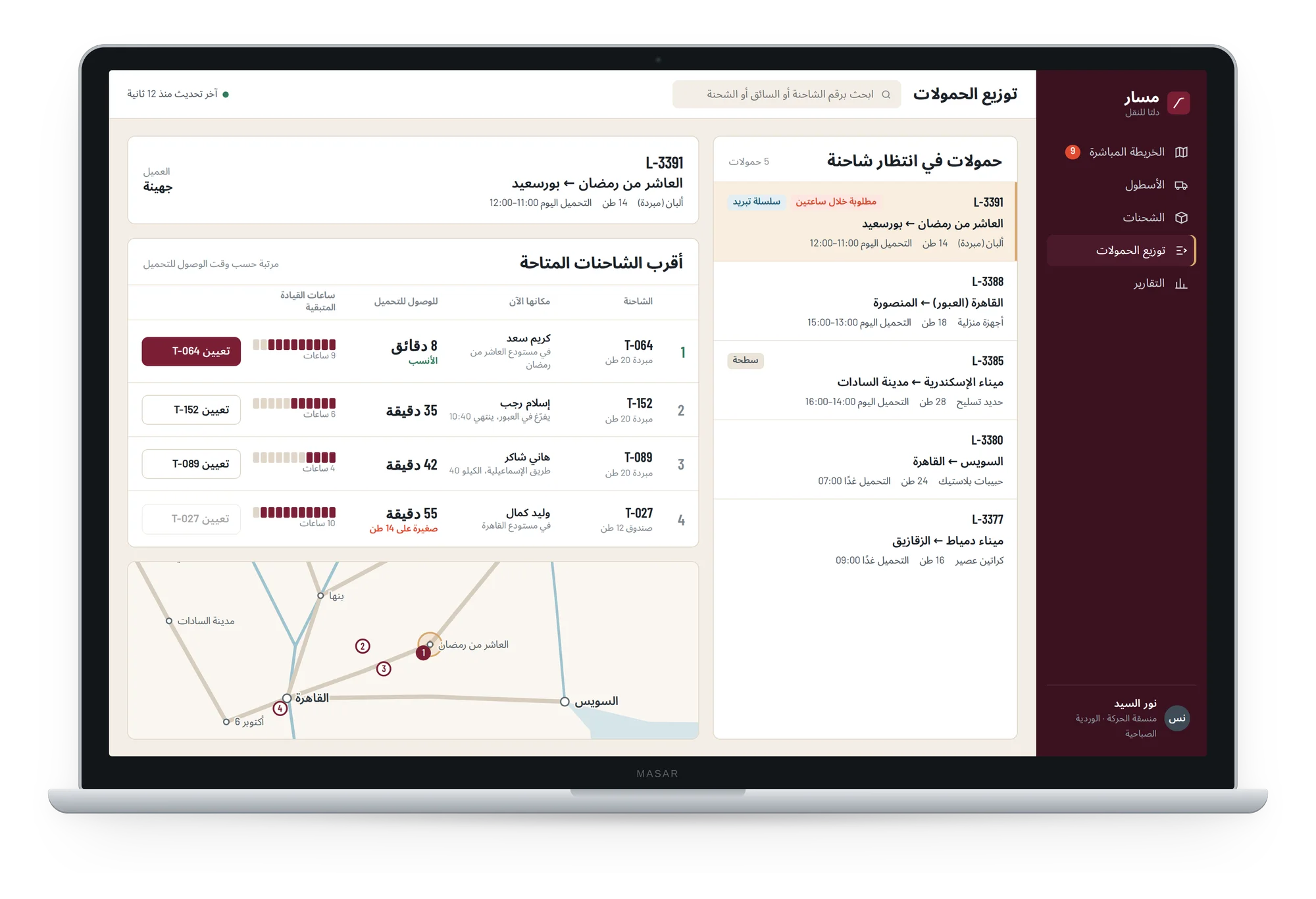 Dispatch
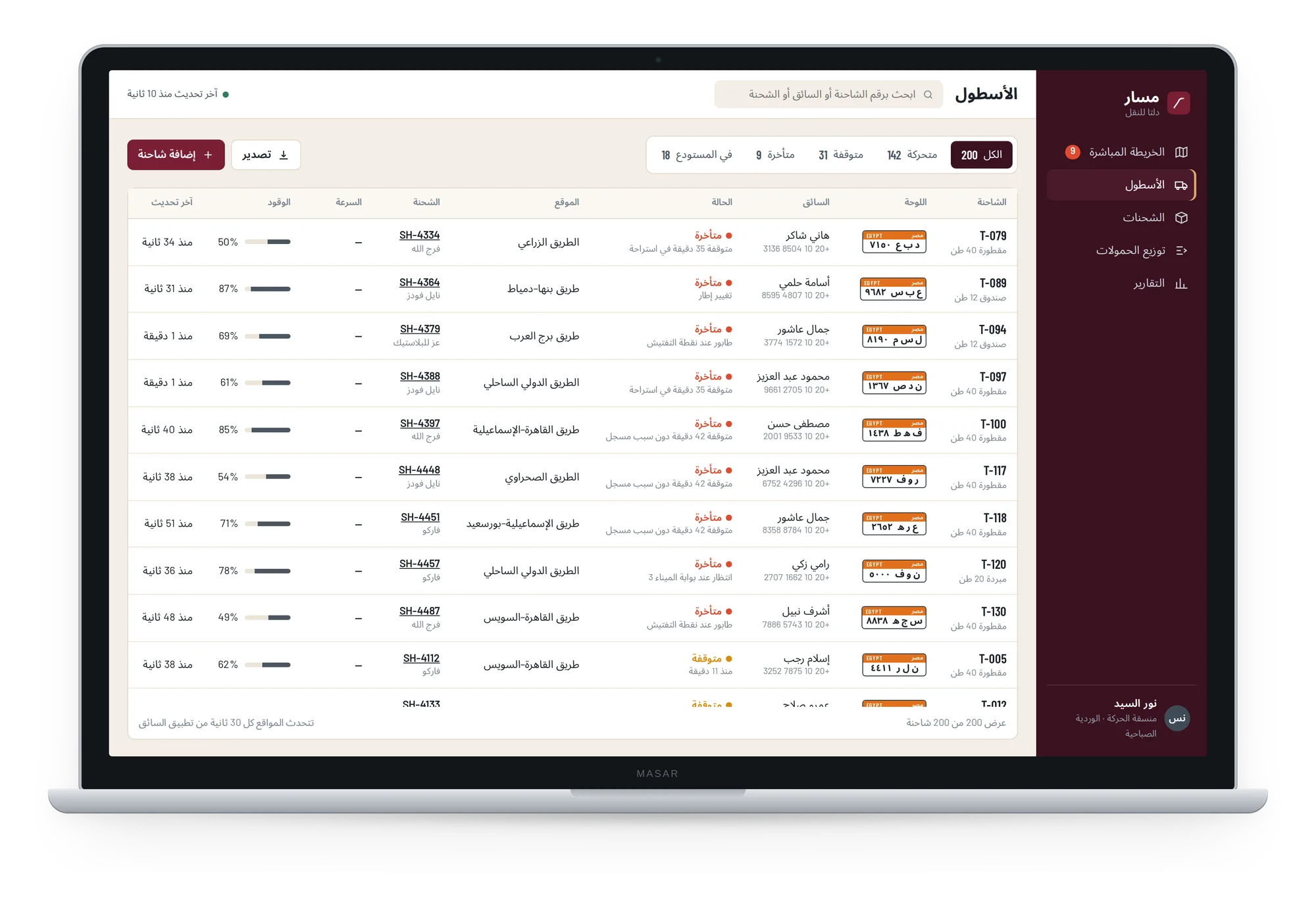 Fleet
Fleet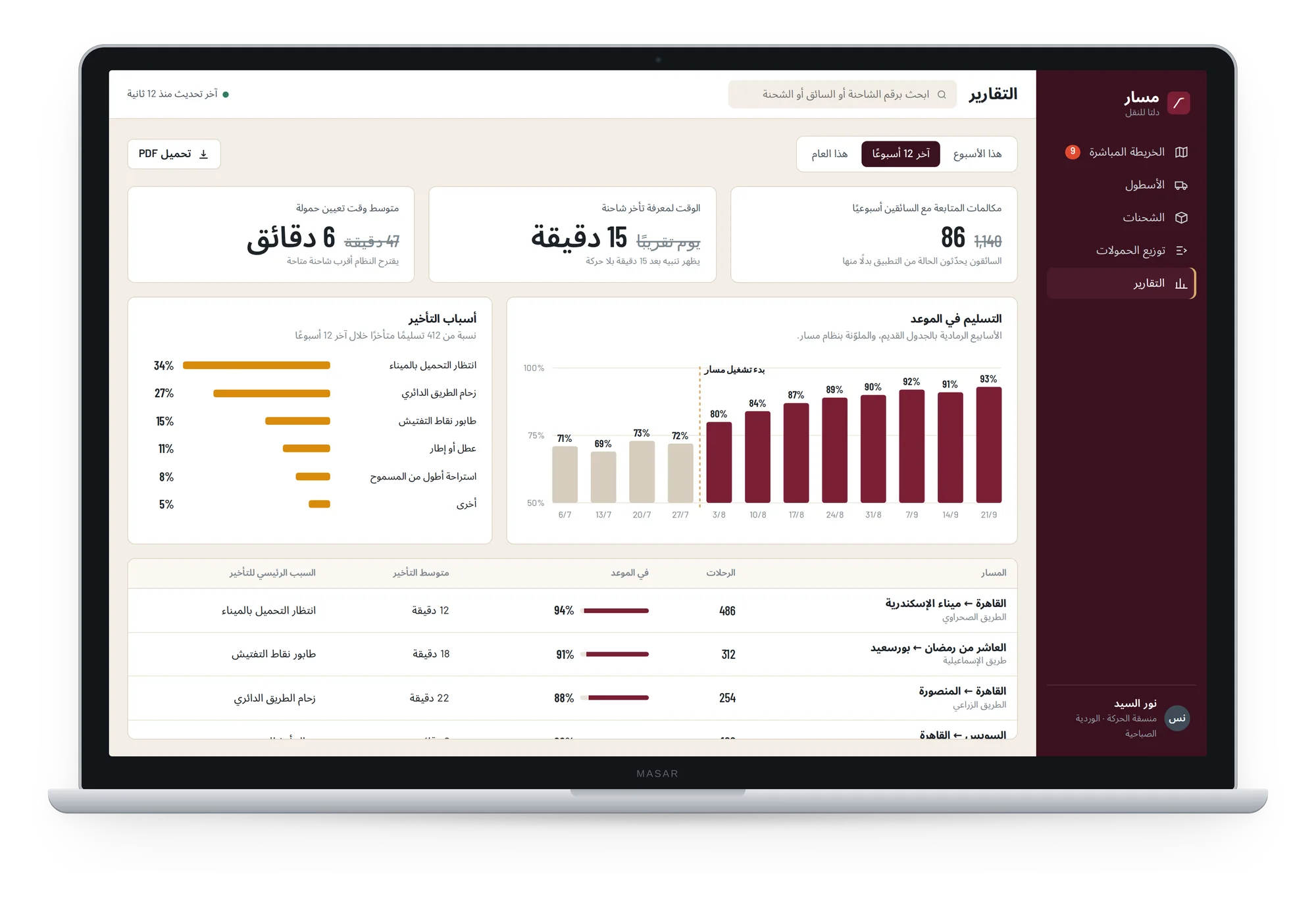 Reports
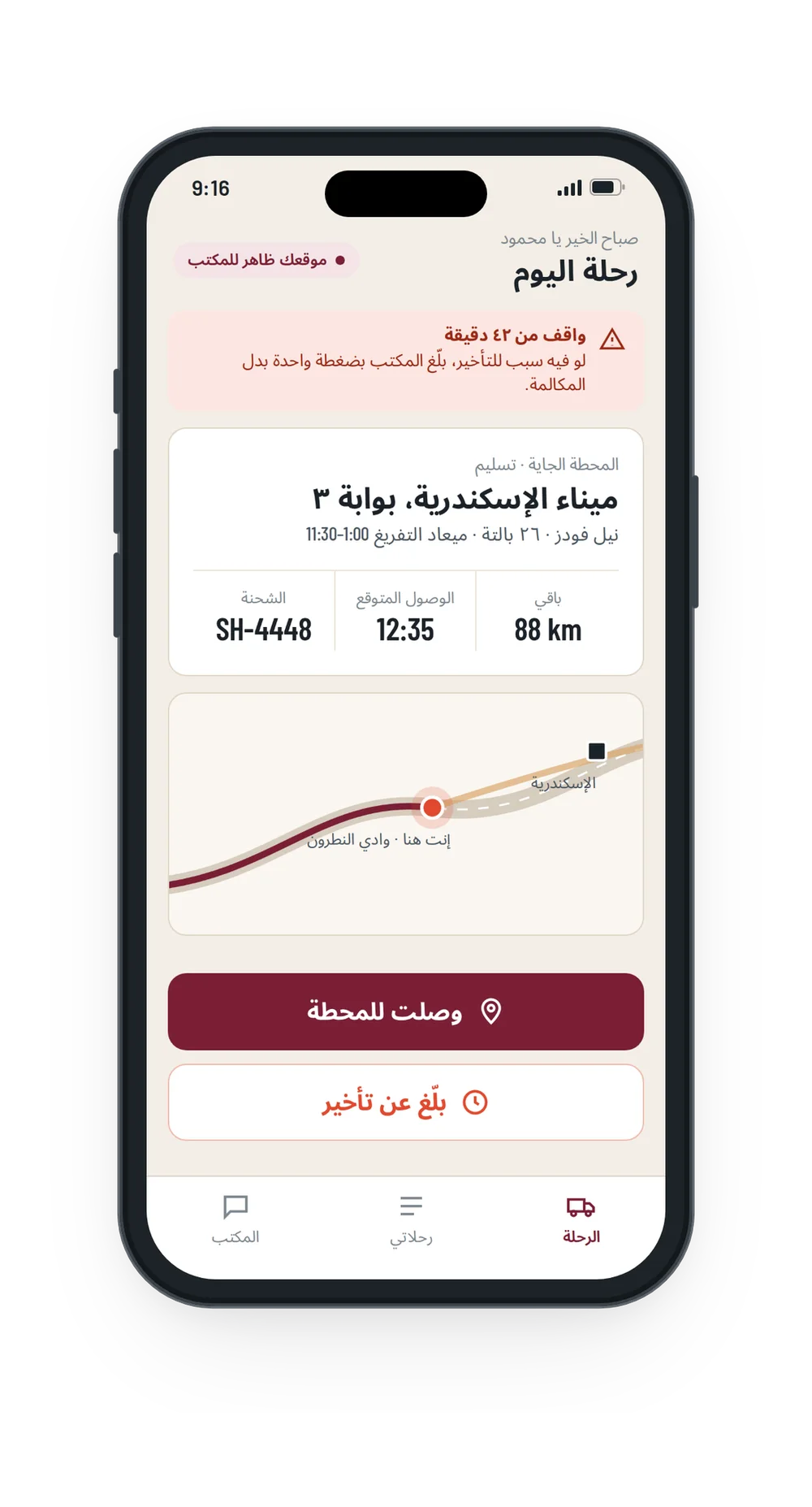 Today's trip
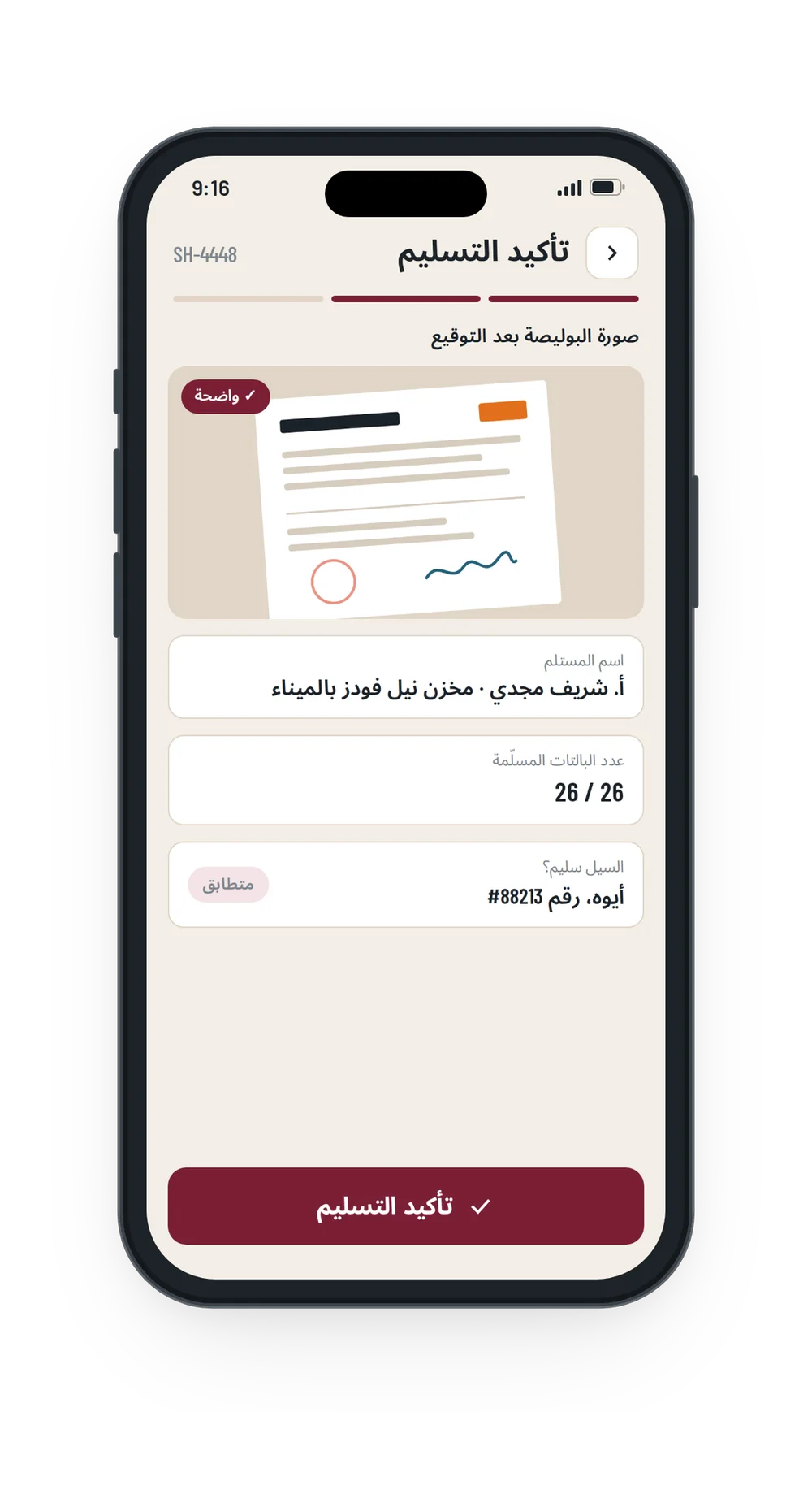 Confirm delivery
 Report a delay
 Sent to the office
In use
Try the prototype
The clickable prototype of the dispatcher dashboard and the driver app. Pick a language, then switch between the dashboard and the driver app at the top.