Stocky
A brand and inventory system for shops, warehouses and small factories: a web dashboard for the office and a scanning app for the floor.
- SectorRetail and warehousing
- PlatformsWeb dashboard, iOS and Android app
- What we didBrand identity, UX research, UI design, Web and mobile build
- Year2021
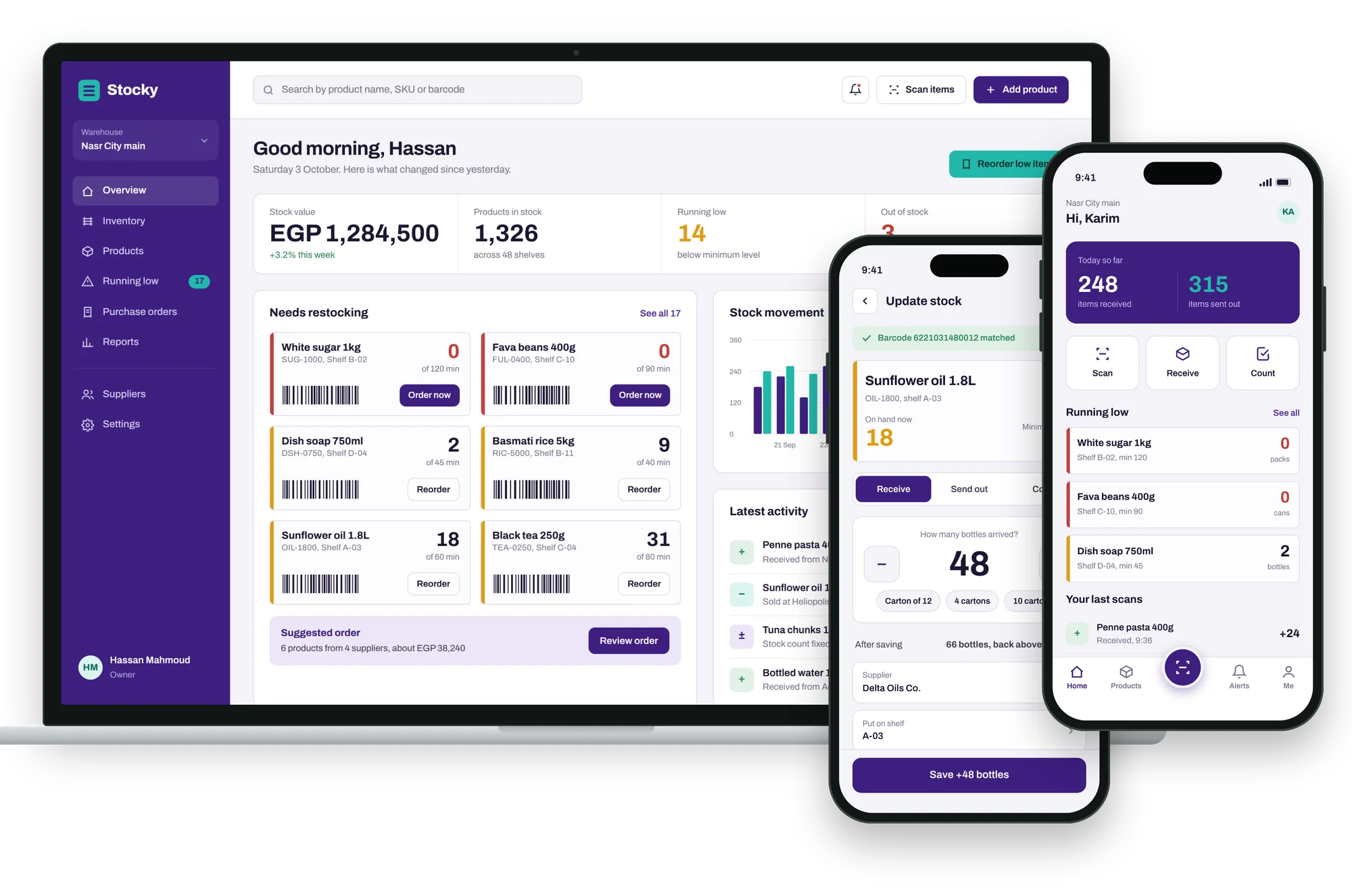
Overview
Stocky is inventory software for shops, warehouses and small factories in Egypt. Owners see their whole stock from the office, and staff on the floor update it by scanning a barcode. We named the product, created the brand and designed and built both apps.
The challenge
Shop and warehouse owners tracked stock in notebooks and spreadsheets. They found out an item had run out only when a customer asked for it, and counting the shelves took a full day.
What we built
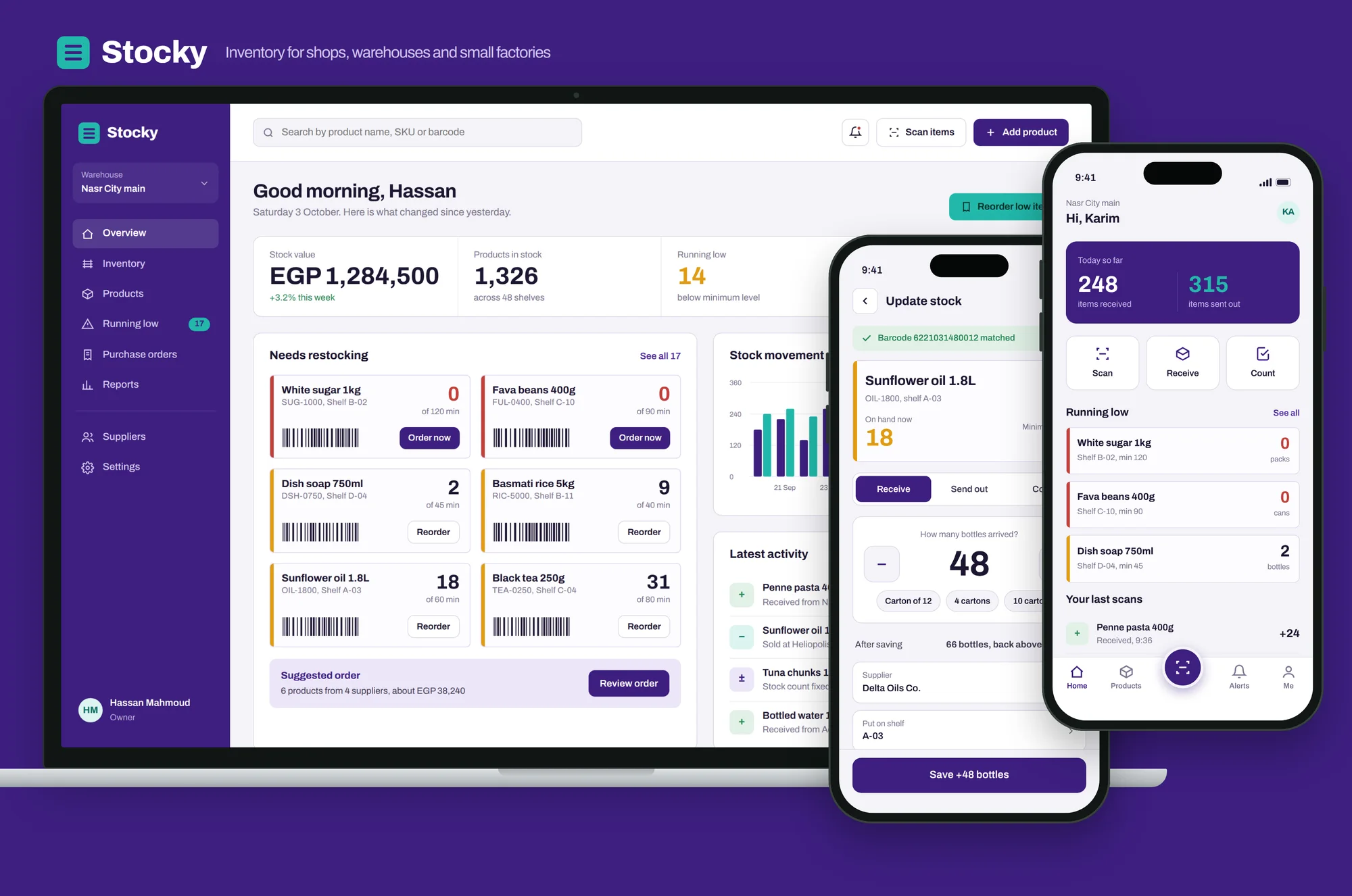
A web dashboard that shows stock value, what is running low and what to reorder, plus a mobile app that turns any phone into a barcode scanner to receive, sell and count stock in seconds.
Brand identity
A teal box with three stacked lines: shelves, stock and a simple list, all in one mark. It reads at app-icon size and sits next to a heavy, compact wordmark.
Colour
- Pine purple#3D1F80Sidebar, buttons, brand
- Purple light#5230A3Hover and active states
- Kraft teal#22B8AALogo, scanning, stock going out
- Teal soft#DDF4F1Shelf tags and soft surfaces
- Amber#E09B12Running low
- Red#C2403AOut of stock
- Green#2E8B57In stock and stock received
- Ink#1D1631Text
Typography
A sturdy grotesque with narrow widths, so big stock numbers stay readable and fit in tight tables and cards.
Know what's on every shelf.
EGP 1,284,500 · 14 running low · 3 out of stock
The web dashboard
For owners and managers in the office: what the stock is worth, what is running low, and what to order next.
- 01
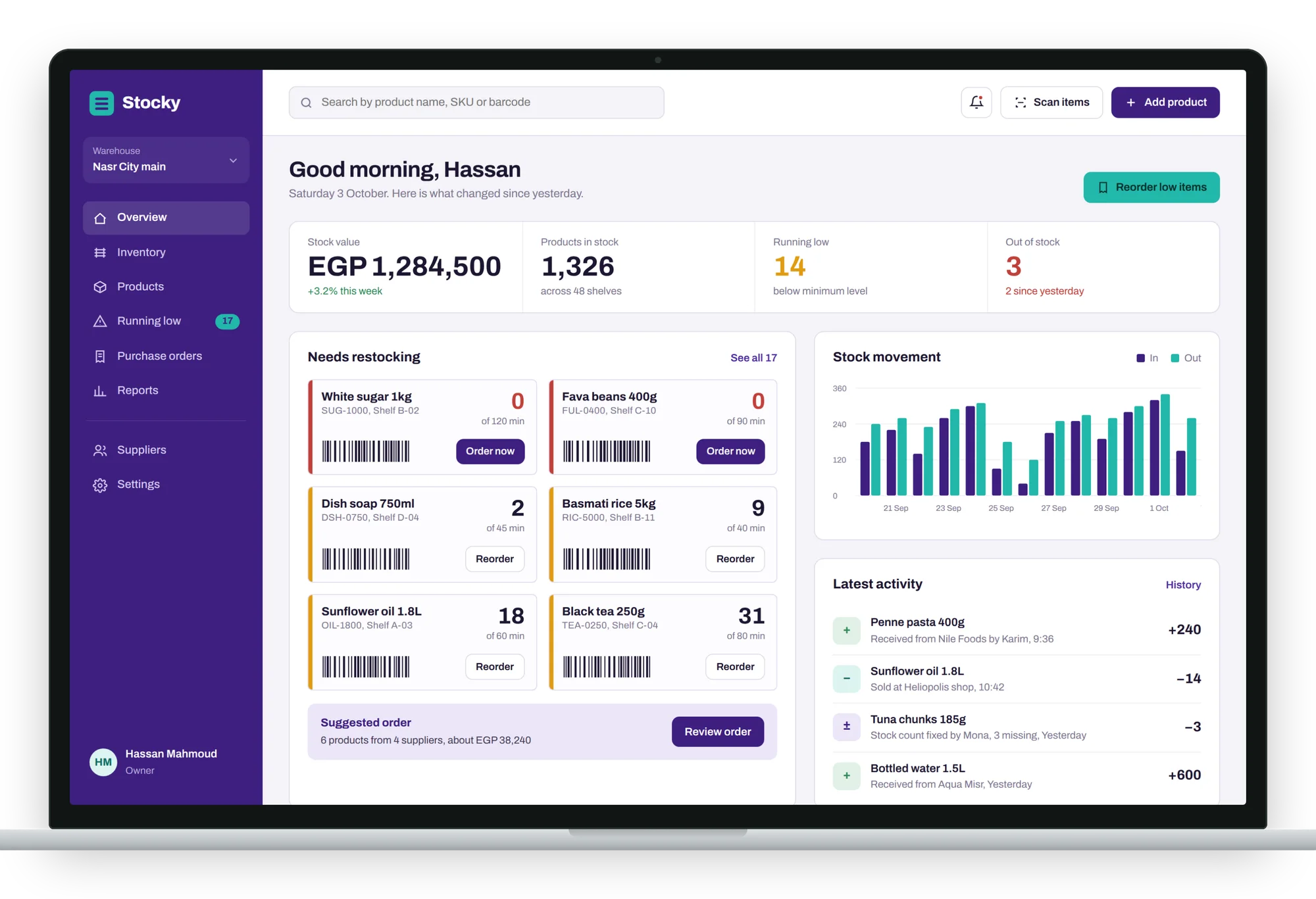
Overview
A morning summary: stock value, products in stock, items running low and out of stock. Below it, the products that need restocking with one-click reorder, a suggested order grouped by supplier, stock movement and the latest activity.
- 02
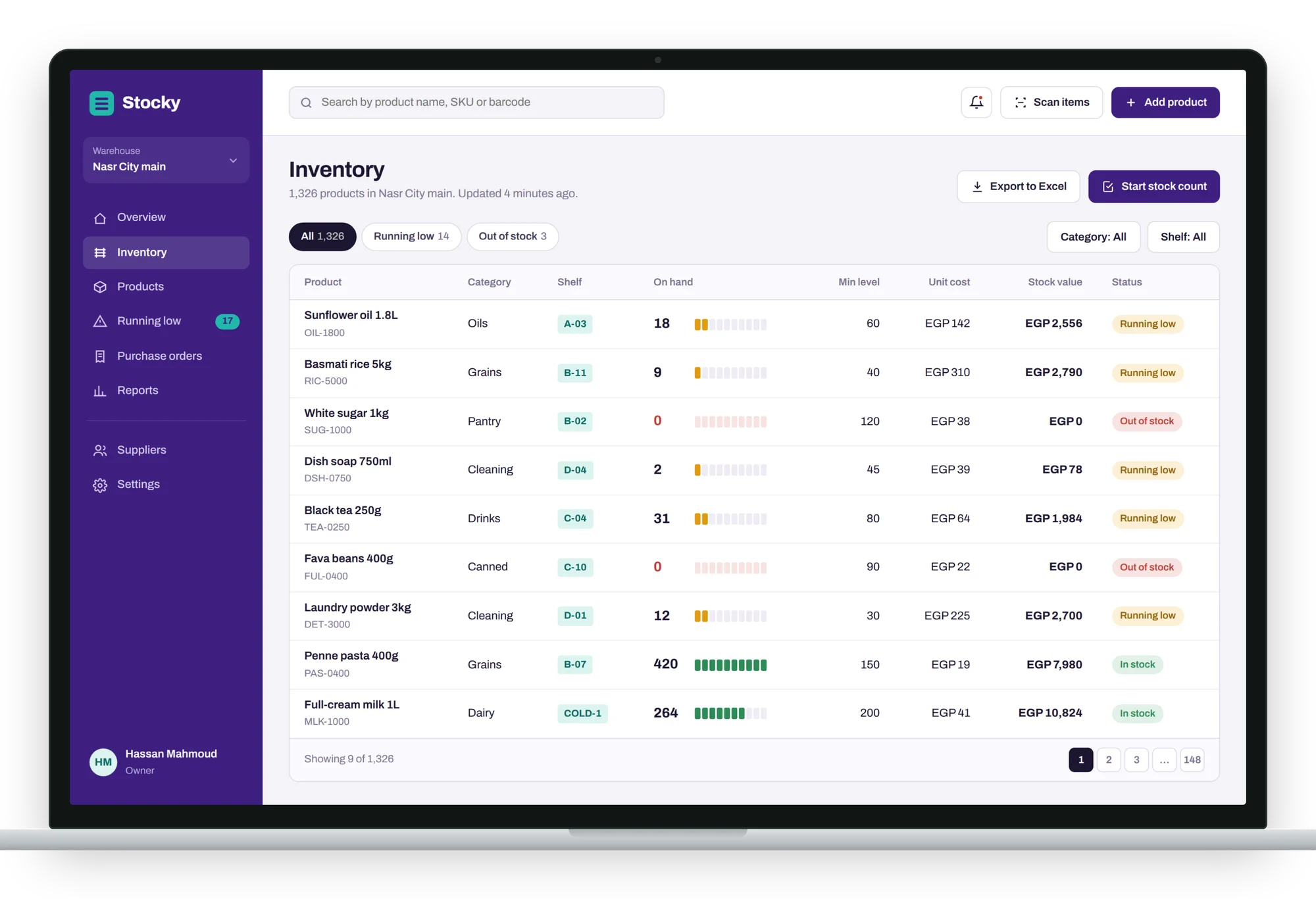
Inventory
Every product with its shelf, quantity on hand, minimum level, cost and stock value. A small bar shows at a glance how full each item is, and filters show only what is running low or out of stock. Export to Excel or start a stock count in one click.
- 03
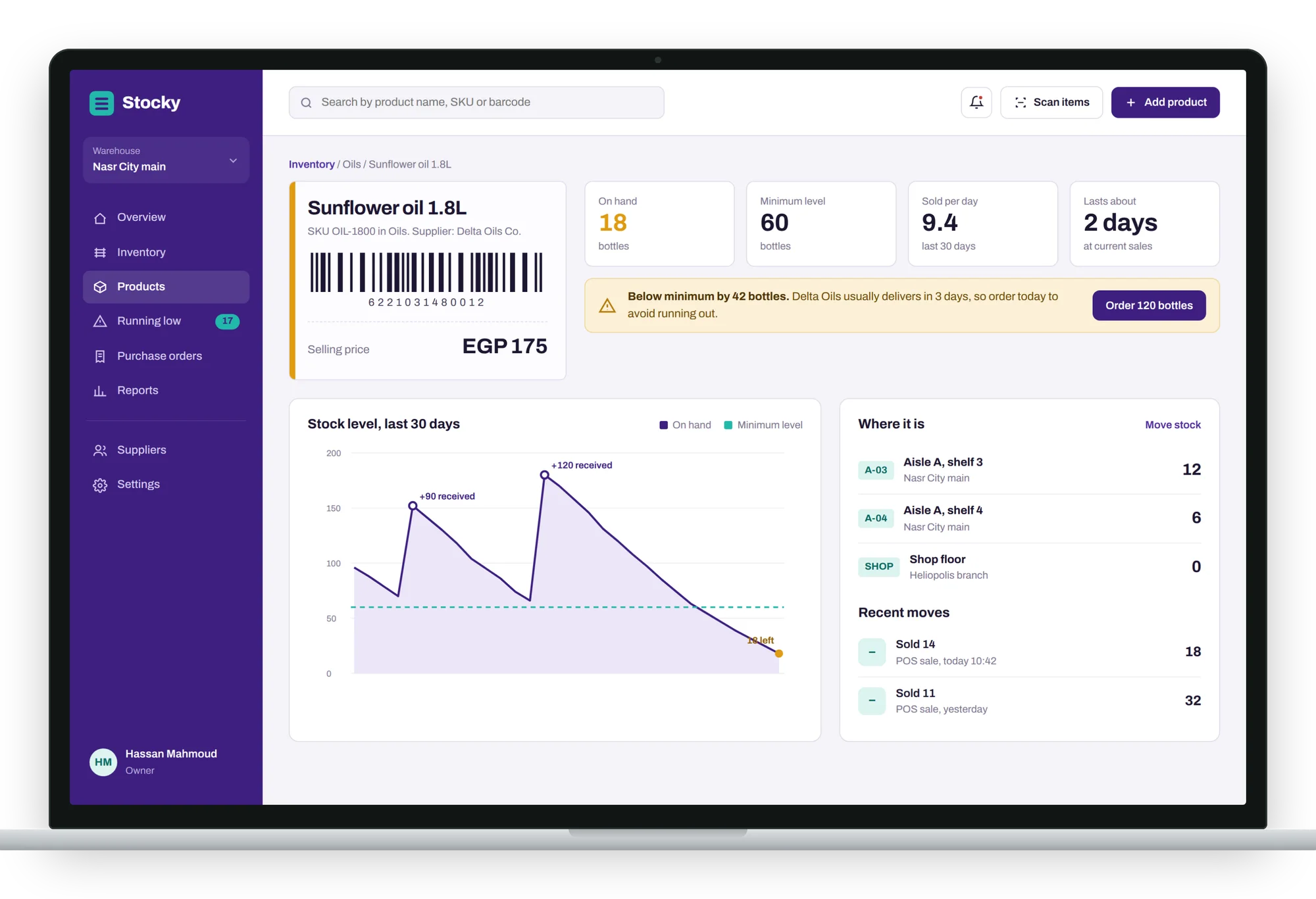
Product
Everything about one item: barcode, price, how many sell per day and how long the stock will last. A 30-day chart shows deliveries and sales, and Stocky warns when to order and how many to order before the shelf is empty.
The mobile app
For staff on the shop floor and in the warehouse. Any phone becomes a barcode scanner.
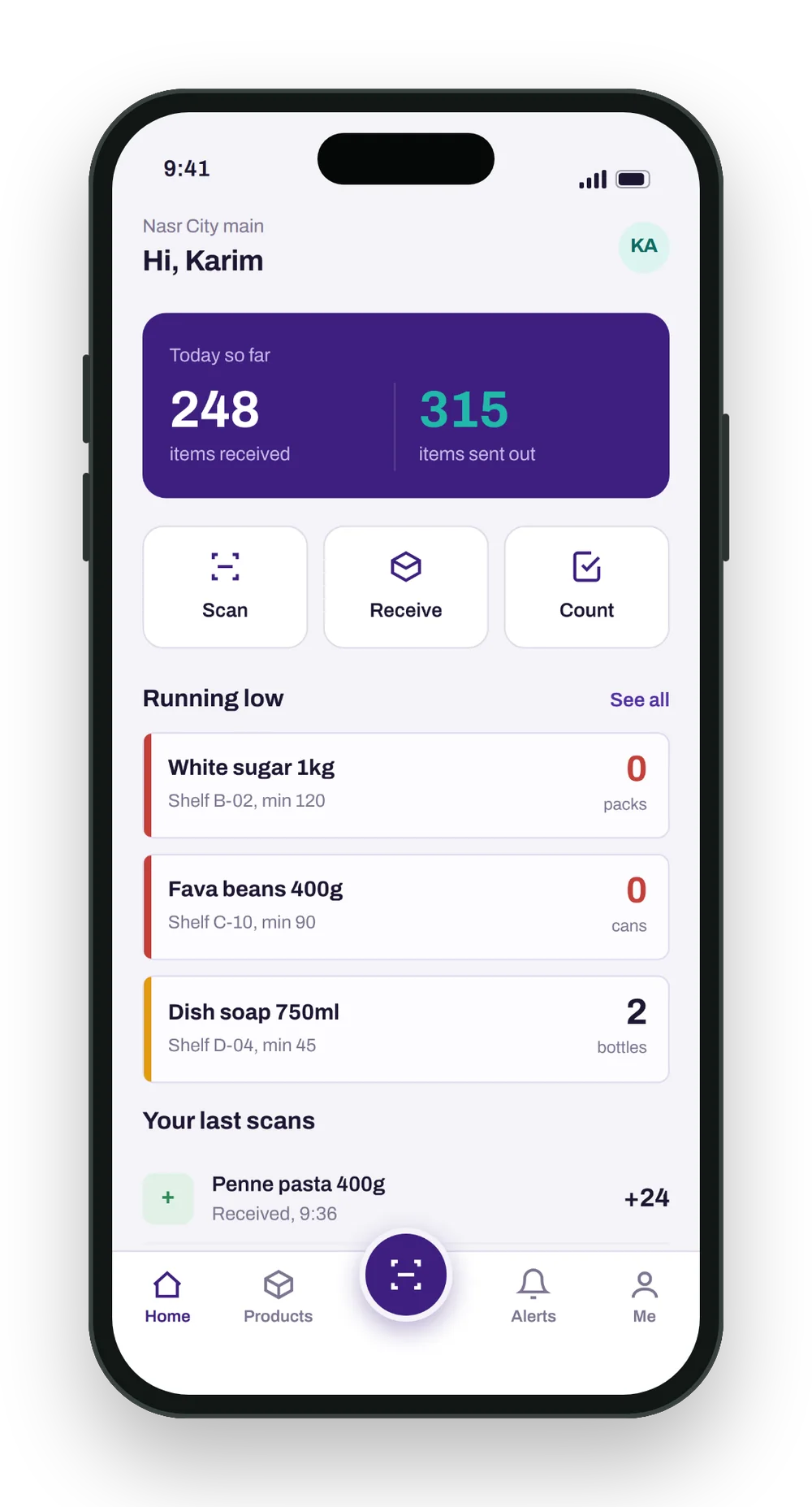
Home
Today's items received and sent out, quick actions to scan, receive and count, and what is running low.
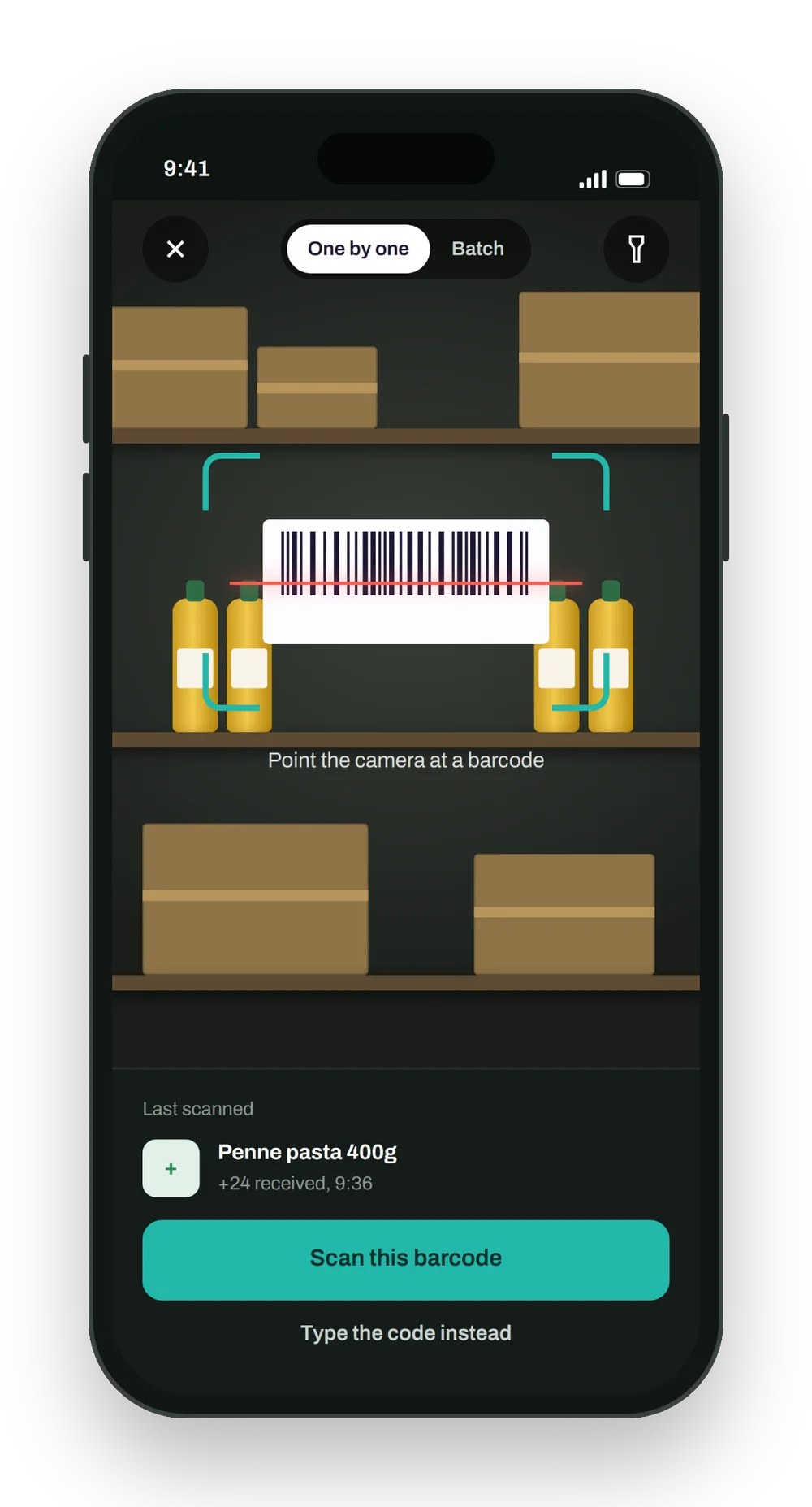
Scan
Point the camera at a barcode, one by one or in batches.
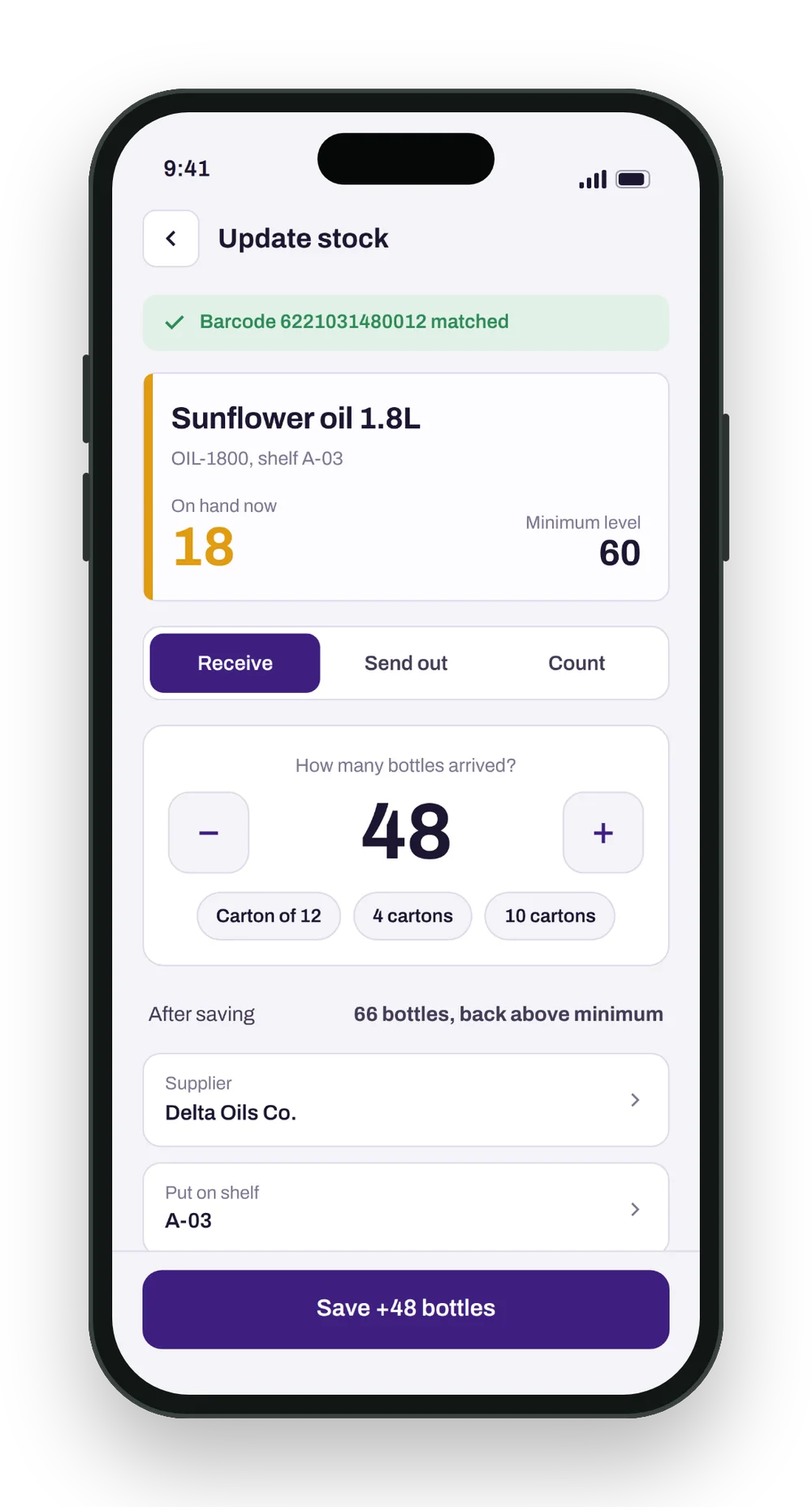
Update stock
The matched product, then receive, send out or count, with carton shortcuts and the shelf to put it on.
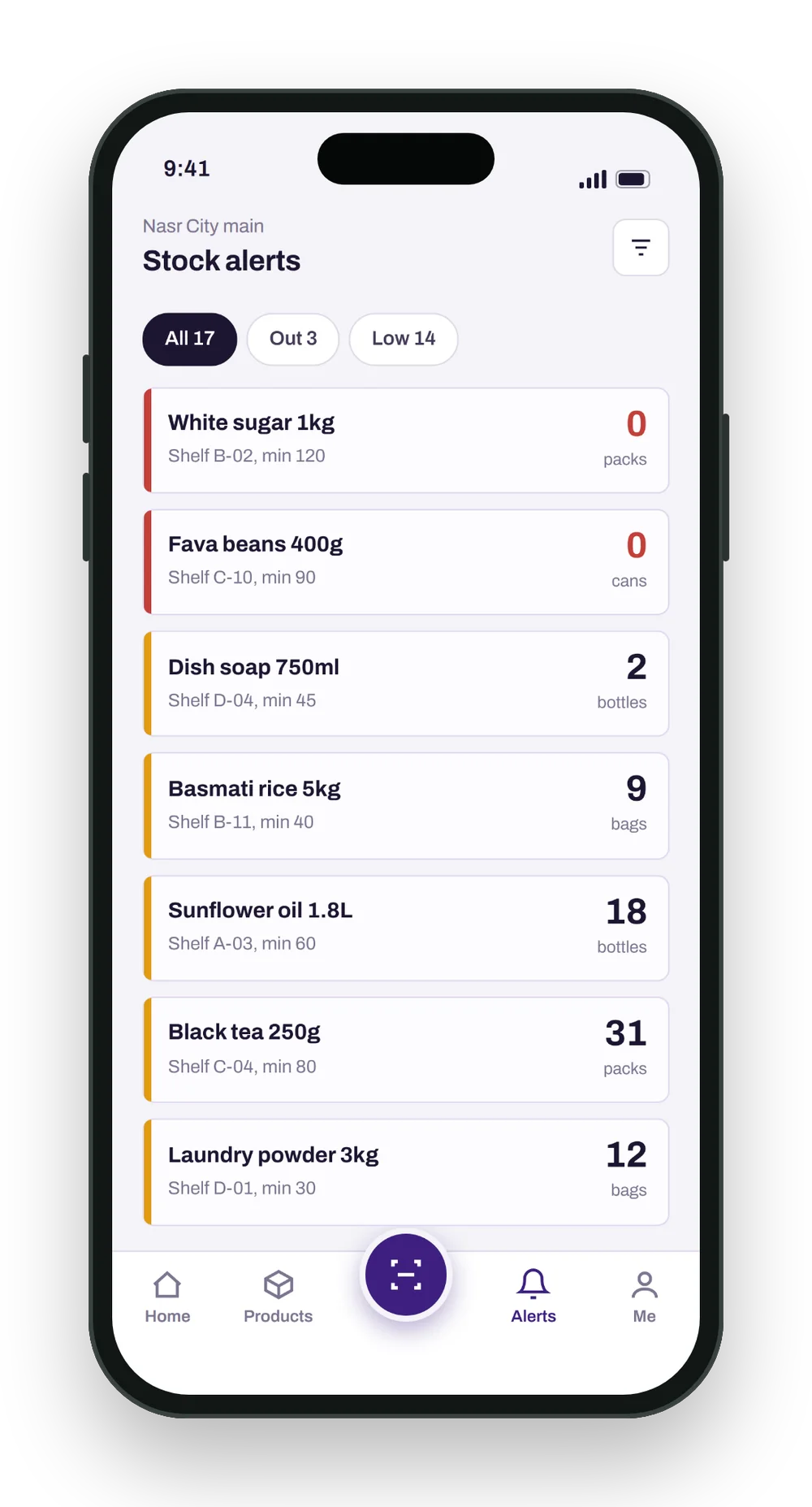
Stock alerts
Everything out of stock or below its minimum, so the right items are reordered first.
In use
Try the prototype
The clickable prototype of both apps. Switch between the web dashboard and the mobile app at the top.